
Key takeaway
The goal is not a summary but a checklist for confirmation. Separate the customer's exact words, confirmed facts, AI inferences, and questions, each with a source and decision it affects. Do not omit refusals, deadlines, budget conditions, or dependencies. A person confirms each line before it returns to the customer.
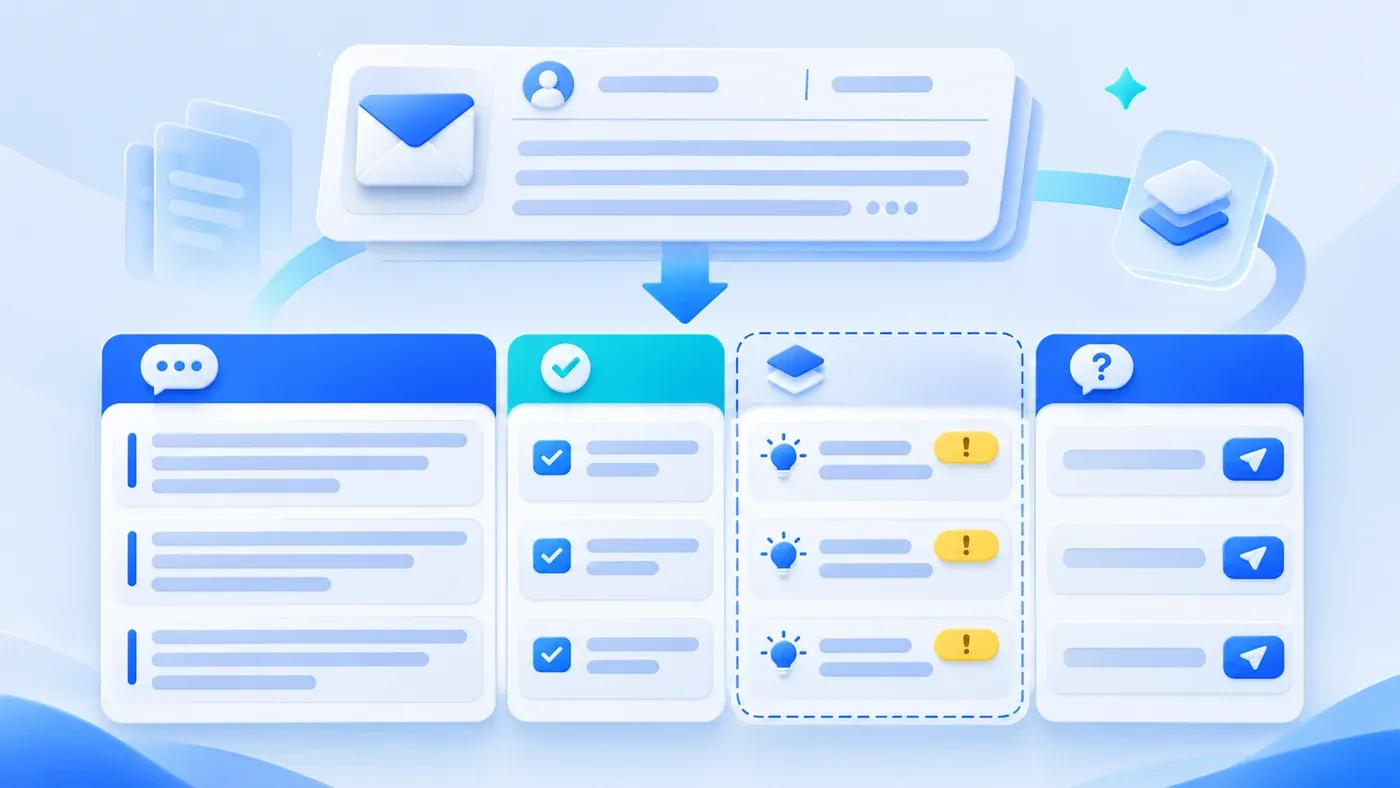
Take this illustrative scenario. A customer sends a long email: business background, desired features, a budget range, a hoped-for launch date, an explicit note that "we do not need a membership system and do not want online payment," and three questions they have not resolved. Sales hands the email to AI, which produces a smooth summary: the customer wants a new website with product display and a contact form, and hopes to launch soon.
Sales quotes from that summary and includes a membership center. The customer replies: I said no membership. The summary dropped critical constraints: it compressed away what the customer did not want and when they needed it.
A summary says what was said; a checklist says what to confirm next
A summary helps someone grasp the gist; it is not a requirements basis. A requirements basis answers: what exactly did the customer say, what do we already know, what is inference, and what must we ask.
So the first rule of organizing a long email is to separate "what the customer said" from "what we understood." AI can extract and group, but it must not blend the two into one fluent paragraph.
Four columns
Exact words: quote the customer's sentences with sender, date, and paragraph location. Do not rewrite, even if the grammar is imperfect.
Known facts: what the quote directly establishes, such as "launch by October," "budget ceiling 200,000," "no membership system." Each cites the sentence it comes from.
Inference: what AI or the account manager infers, such as "may need an English site because they mention overseas customers." Mark it "not confirmed by the customer" and never present it as a requirement.
Questions: what the customer must confirm, written as a question they can answer directly, not "please clarify requirements." For example: "Is the English site in phase one or phase two?"
Add two more columns: which decision this affects (scope, quote, schedule, contract) and who confirms it. That is what makes the checklist enter the project rather than merely look tidy.
Explicit refusals, deadlines, and conditions
What summaries drop most often is not feature names but qualifiers:
- Explicit refusals: "no membership," "no payments," "not considering a mini-program for now." A refusal is as important as a requirement; it defines scope.
- Time conditions: "ideally before October, otherwise we miss the trade show." The reason behind the date decides whether it can be negotiated.
- Budget conditions: "within 200,000 including first-year maintenance." Whether maintenance is included changes the quote structure.
- Dependencies: "we provide the domain and server," "the design needs the boss's approval." Dependencies drive schedule risk.
List these as a separate "constraints and boundaries" section at the top of the checklist, not buried among features.
Threads with several emails and speakers
A customer email is often a thread: procurement asks about price, engineering asks about interfaces, the boss decides at the end. AI must keep speaker and time for each statement, especially where things change.
For example, the first email says an English site is needed; the third says it moves to phase two. The final checklist records the change: current conclusion is phase two, based on the third email, earlier request adjusted. Do not keep only the latest sentence and lose the change, nor keep the old conclusion and ignore the update.
When the thread includes attachments or links, note the file name and which item it supports. The checklist is not an email archive, but key evidence must be findable.
A hypothetical table
Exact words (excerpt) | Type | Decision affected | Confirmer |
|---|---|---|---|
"Keep the budget within 200,000 including first-year maintenance" | Known fact | Quote structure | Sales |
"Launch before October for the autumn trade show" | Known fact + time condition | Schedule and scope | Project manager |
"No membership system, no online payment" | Explicit refusal | Scope boundary | Product |
"Overseas customers will look, maybe an English site" | Inference (unconfirmed) | Whether English is included | Sales asks |
"Is the English site phase one or phase two?" | Question | Scope and quote | Customer |
Before the table goes back to the customer, the account manager checks each line. If the customer confirms an inference, move it to "known facts" with the confirmation time and channel.
Confirm before sending back
After AI organizes the email, do not let sales quote directly. Do three things:
- Compare every exact quote with the email; confirm nothing was rewritten or taken out of context.
- Ask of every inference: did the customer say this, or did we guess?
- Merge the questions into a few the customer can answer at once, not ten separate emails.
After the reply, update the checklist version and record which inferences were confirmed or rejected. Keep rejected inferences marked with their reason so nobody proposes them again.
Ask all open questions in one round where possible; a second round should be the exception. It reduces the chance that the customer answers only the easiest one.
Check Quotes and Open Questions Before Replying
[Customer email requirement checklist]

1. Exact words
- Does every requirement cite the original text, sender, and date:
- Are explicit refusals, time conditions, and budget conditions kept:
- Are changes across several emails recorded:

2. Separation
- Can every known fact be traced to a quote:
- Are inferences marked as unconfirmed:
- Are questions phrased so the customer can answer directly:

3. Use
- Does each line name the decision it affects:
- Is a confirmer assigned:
- Did the account manager check every line before sending:

4. Versions
- Is the checklist version updated after customer confirmation:
- Are rejected inferences kept and marked:
Take the most recent customer email longer than one screen, organize it into the four columns, and compare it with the original. If you find that the summary dropped what the customer did not want, the checklist is worth keeping. The full method for a requirements document is in how to write an AI requirements document; how to grade AI output review is in how AI output should be reviewed. The scope of customer email organization and confirmation can be discussed within AI applications and workflows.
Turn the email into a design brief for the designer. When commitments matter, also apply the conversation fidelity checks.
