
Key takeaway
A failed import should name the file-level problem, or the row, field, reason, and whether the user can fix it in the sheet. Choose all-or-nothing or import-the-valid-rows before launch. Successful rows need a business key so a retry does not insert them twice. Do not call bad data a system error.
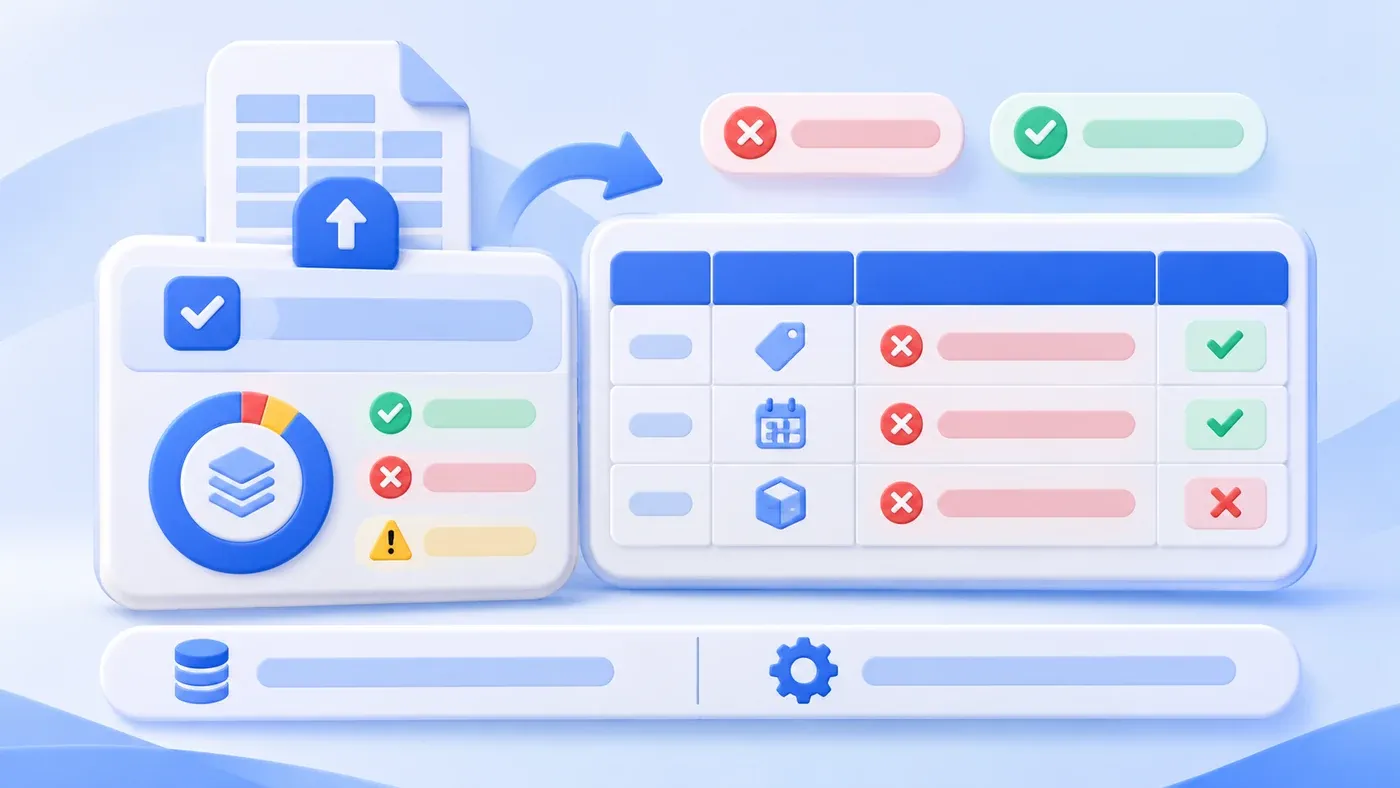
Take this illustrative scenario. Someone uploads this month's customer sheet. The page shows one red line: import failed, check the file format. The sheet has four hundred rows. They cannot tell whether the template is wrong, a row is missing an ID, or an amount still contains the word "yuan." They fix a guess and upload again. The same sentence comes back.
A failed import has to tell the uploader three things: whether the problem is the whole file or one field on one row, why it failed, and whether they can fix that cell themselves. "Bad format" and "system error" are not answers.
A receipt needs four columns, plus a judgment on who can fix it
Each problem a person must handle becomes one receipt row:
- Where. File-level problems say "whole file." Row-level problems use the row number the user sees, not an internal index that starts at zero. Two problems on one row become two receipt lines.
- Which field. Use the header, such as customer number or amount. Do not say only "column C" unless the header is right there. The user edits the cell under that header.
- Why. Say it in business language: required value is empty, this cannot be read as a number, this name is not on the user list. Do not show a stack trace, and do not call bad data a system error.
- What next. Mark either "fix it in the sheet and retry" or "an administrator has to change master data first." The second must say what is missing, for example the salesperson is not on the user list, rather than "contact an administrator."
Also show the batch counts: rows in the file, rows that will be or were written, blocking rows, warnings. The counts should add up to the detail. That is how people trust the report.
Separate three kinds of problems
File-level errors: wrong extension, empty file, headers that do not match the agreed template, or a size and row cap you set in advance. Write nothing. The receipt only says why the file was refused and which template to download. Set the cap in the project. Do not copy a round number from some other product and treat it as a standard.
Blocking rows: missing required values, wrong types, a duplicate business key, a customer or person who does not exist, a value outside a range you have written down. That row cannot be stored as it is.
Warning rows: the system can normalize safely, but a person should see it. Full-width digits turned into half-width digits, an empty currency that would take a default. A warning is not a failure. If the default would change money, stock, or access, do not write it quietly. Make it blocking and ask.
Which fields are required, and which column is the key, should already exist as a field description. The receipt applies those rules. It should not invent a new rule inside the error text.
If one row fails, choose all-or-nothing or import the rest
- Reject the batch
- Write nothing and report errors
- Import valid rows
- Track the batch and failed rows
Agree the strategy and retry rules in advance; no real business volumes are shown.
Both strategies are valid. Choosing after launch is not.
Reject the whole file when a partial write would be treated as already in effect. Posting payment results is a typical case. If one amount cannot be read, write nothing. The user fixes the file and retries all of it. The gain is that the database never holds a half-remembered batch. The cost is that ninety-nine good rows wait on one bad row.
Import the valid rows when a failed row can be fixed later without disturbing the ones that succeeded: contacts, a product catalog. Write the valid rows and store the import batch id. Leave the failed rows out, and offer a file that contains only those rows plus a reason column. The cost is that the user must understand that part of the batch is already in. The page has to show success and failure together. A single failure toast is not enough.
When the import changes amounts, stock, or permissions, the steadier default is to reject the whole file, unless the business owner explicitly accepts a partial import and can say how the failed rows will be completed. That is a tradeoff, not a universal rule of import features.
Either way, keep the uploaded file for a while so row numbers can be checked. How long is your choice. Do not keep only the sentence "it failed" and throw the file away.
A sample error report
The numbers and names below are demonstration data, not a real import. The sheet has 40 data rows. The chosen strategy is to import valid rows.
Row | Field | Reason | What next | Written in this batch |
|---|---|---|---|---|
Whole file | None | No file-level error | Read the rows | Not applicable |
12 | Customer number | Required value is empty | Add the number and retry the failed rows only | No |
18 | Salesperson | "Zhang San (left the company)" is not on the user list | An administrator restores or replaces the owner; the uploader cannot edit the list | No |
27 | Amount | "1,200 yuan" cannot be read as a number | Remove the word and retry 1200 | No |
31 | Currency | Empty; if confirmed, the default CNY will be stored | This is a warning. Accept the default or fill in the currency | Only after the default is confirmed |
Other 36 rows | None | Passed | Written, batch id IMP-example-001 | Yes |
The summary at the top should read: 40 rows; 36 written; 3 not written; 1 warning. Do not use the four words "import failed" to deny the 36 that succeeded. If the strategy is changed to reject the whole file, rows written becomes 0, and the receipt still lists these reasons.
The downloadable failure file contains only the rows that were not written, with a reason column. Do not make people scan four hundred rows. Successful rows do not need to be in that file.
A corrected upload must not insert the successful rows again
People will upload again. The system needs a business key to tell a new row from a row that already landed. A customer number for customers, an order number for orders. Without a stable key, do not promise that a retry will not duplicate.
When the same key appears again, pick one behavior in advance: skip, update from the new values, or stop and ask. An update must name which fields it may overwrite, so a thin failure file does not blank out phone numbers and addresses. A skip should say "this key already exists and was not written again."
Do not use the file name to recognize a batch. File names change. Use the key and the batch id.
A history sheet full of blanks and several spellings of the same customer is cleanup before import. An error message cannot do that cleanup. It can only say why this cell fails the check you already defined.
A checklist for the import receipt
[Import receipt checklist]

1. Template
- Headers on the template people download:
- Which column is the business key:
- Which fields are required, and which may be empty:

2. Receipt
- Does it include row, field, reason, and what next:
- Does a file-level error write nothing:
- Are warnings separate from blocking rows:
- Do the summary counts match the detail:

3. Strategy
- Reject the whole file, or import the valid rows:
- If partial, does the failure file contain only failed rows plus reasons:
- How long is the original file kept:

4. Retry
- On a second upload, is an existing key skipped, updated, or sent for confirmation:
- Which fields may an update overwrite, and can it write blanks back:
- Are data errors explicitly not shown as system errors:
Try one real file that people upload repeatedly, and make it fail against this list. That teaches more than a demo that only shows success. Field meanings can be collected in the system preparation guide. If import is the first usable path in a new admin, put the checks and the receipt into the scope discussed with business system development.
Missing data-entry rules are one of the five common traps in SMB digitization. How document structure changes retrieval is covered in document format and retrieval quality. Neither produces this row-level receipt.
