
Key takeaway
Define draft, submission, and effectiveness separately, including visibility, edits, withdrawal, and downstream actions. Drafts may support authorized collaboration and agreed retention. Submission enters processing; effectiveness triggers the agreed consequences. Not every workflow needs three separate steps.
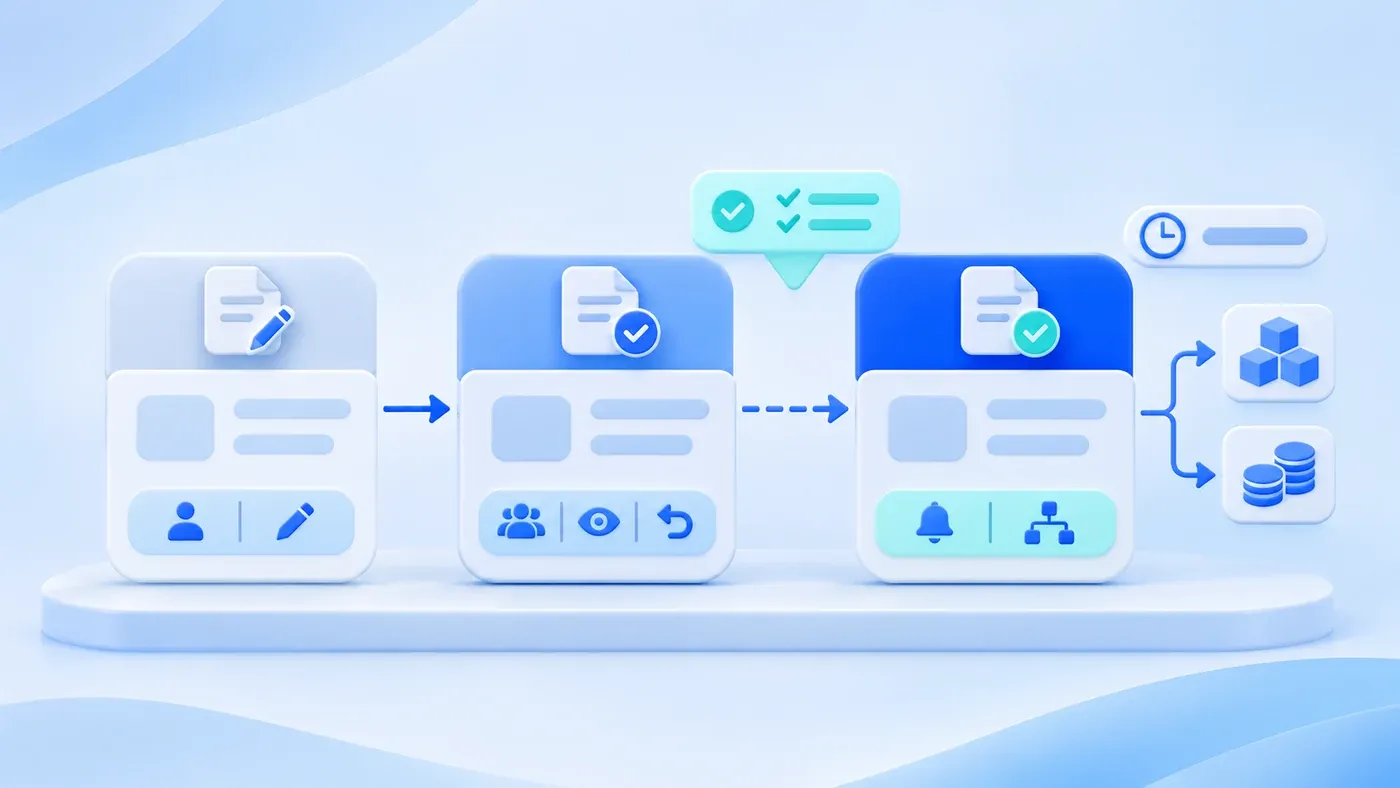
Consider a hypothetical case. Sales clicks Submit on a quote, assuming it is only going to a manager for a look. The warehouse system announces a confirmed order and starts preparing stock. The next day the customer cuts the quantity, and the prepared goods sit on the shelf. Elsewhere, procurement clicks Save on a request and assumes it entered approval; finance sees nothing in the queue and assumes it was never submitted.
Three words get mixed together: save, submit, take effect. They are three different events. Each needs a clear definition, and the screen label, the database state, and the downstream notification must all use that same definition.
The following is one possible state design. Drafts may be private by default or shared with authorized collaborators. Agree deletion permissions, version or log retention, attachments, and expiry separately; lack of business effect does not automatically remove retention or audit requirements.
Draft: keep unsubmitted work and define collaboration access
A draft keeps unfinished work. It may be private by default or shared with authorized collaborators. In this example it does not enter formal task queues, business totals or downstream execution, and is not treated as an effective record.
Drafts should save automatically and also on demand. Autosave handles "the form was interrupted"; manual save handles "I know it is unfinished, keep it here." Both may produce the same record, but the restore message should say it is a draft.
Agree who may delete a draft, whether approval or a log is needed, and how attachments are retained or shared. A draft is not automatically disposable without a record.
Saving a draft is not a mandatory step before submitting. Some tasks should allow direct submission; do not force a draft first.
Submitted: entered the queue, not approved
Submitted means the author considers the content complete and wants it to enter the next step: approval, review, assignment, or a processing queue. After submission the record is usually read-only for the author; changes require withdrawal or a return.
The confirmation must be accurate. "Submitted" means the system received it, not that approval passed or that downstream work has run. The screen should say what happens next: who approves, where it appears, and when it is reasonable to chase.
Whether submission can be withdrawn needs its own rule. A common one: withdrawable while the approver has not opened it; once opened or approved, it goes through a return or cancellation flow instead. Withdrawal is not deletion; keep the submission and withdrawal times and actors.
Submission does not necessarily lock every field. Some fields may be supplemented during approval, such as attachments or notes. State which fields remain editable and whether a change restarts approval.
Effective: the moment business consequences begin
Effective means the record now produces a downstream or external result: stock is reserved or deducted, finance records a receivable or payable, content becomes public, a permission is granted. After that, edits usually need a stricter flow, because others have acted on it.
The effective time is not always the approval time. A contract may start on the first of next month; a price change may apply at the weekend; content may publish on a schedule. Store "approved at" and "effective from" separately, and have downstream work follow the effective time, not the moment someone clicked Approve.
Some operations need two confirmations: an approver approves, then a named role performs "make effective." This is not bureaucracy; it separates "we agree" from "let it happen," which suits money, stock, and public publishing.
Who gets notified at effect time must also be written down. The message is not "approval passed" but "execute this from now on." Include the effective time, the scope of impact, and the next step, not just a state change.
A state matrix
State | Visible to | Editable by | Withdrawable | Counted | Downstream notified |
|---|---|---|---|---|---|
Draft | Author and authorized collaborators | As defined by draft permissions | Not applicable; define deletion and retention separately | Excluded from formal business totals | No formal downstream action |
Submitted | Author, approver, related roles | Read-only by default; editable after return | Per approval progress and rules | Counted separately as pending | Approver may be notified |
Effective | Per record permission | Only through change or cancellation flow | Through cancellation flow | Yes | Yes, with effective time |
Every cell needs a concrete answer. A blank cell is not "decide later"; it is where production incidents start.
Withdrawal, return, and expiry
Withdrawal is the author taking back a submission. A return is an approver sending it back. Expiry is an effective record ceasing to be valid because it ended, was replaced, or the business was cancelled. They are different actions and should not share one button.
A return needs a reason that tells the author what to change. The record becomes editable again but keeps the previous content and approval history. On resubmission, decide whether to create a new version or overwrite; audit requirements drive the choice.
Expiry needs related effects handled. When a price sheet expires, what happens to quotes that reference it? When a granted permission is revoked, are past actions revisited? Changing one status field is not enough if downstream continues on the old state.
Common mistakes
Showing "Saved" as "Submitted successfully." The user believes it was submitted; it is still a draft.
Treating "Approved" as "Effective" and ignoring the effective date. Downstream runs early, producing wrong stock or prices.
Allowing an effective record to be edited directly without a version. Others acted on the old version, and the change cannot be explained.
Sending a notification that says only "status updated," without what it changed to, when it starts, or whom it affects.
Check before launch
Take one common document type and walk it from fill to effect, recording at each step: who can see it, who can edit it, what the screen says, and what notification goes out. Then check that the state field in the database matches the label on screen one to one.
If the screen says "Submitted" while the database holds only a boolean called "saved," downstream will misread it sooner or later. States should carry business meaning, not just whether something was stored.
Who a document passes through between submission and effect, and where a rejection returns it, belongs to the approval flow design discussed alongside business system development; this article defines only the three states. How to keep a state machine from growing endlessly is a separate topic. These states can be written into the scope of business system development.
