
Key takeaway
Publish positioning, selection logic, limits, and searchable specs as HTML pages for mobile UX, metadata control, bilingual sync, and inquiries. Keep PDFs as versioned, tagged, text-selectable supplements for scaled drawings, manuals, and offline BOM or bid archiving.
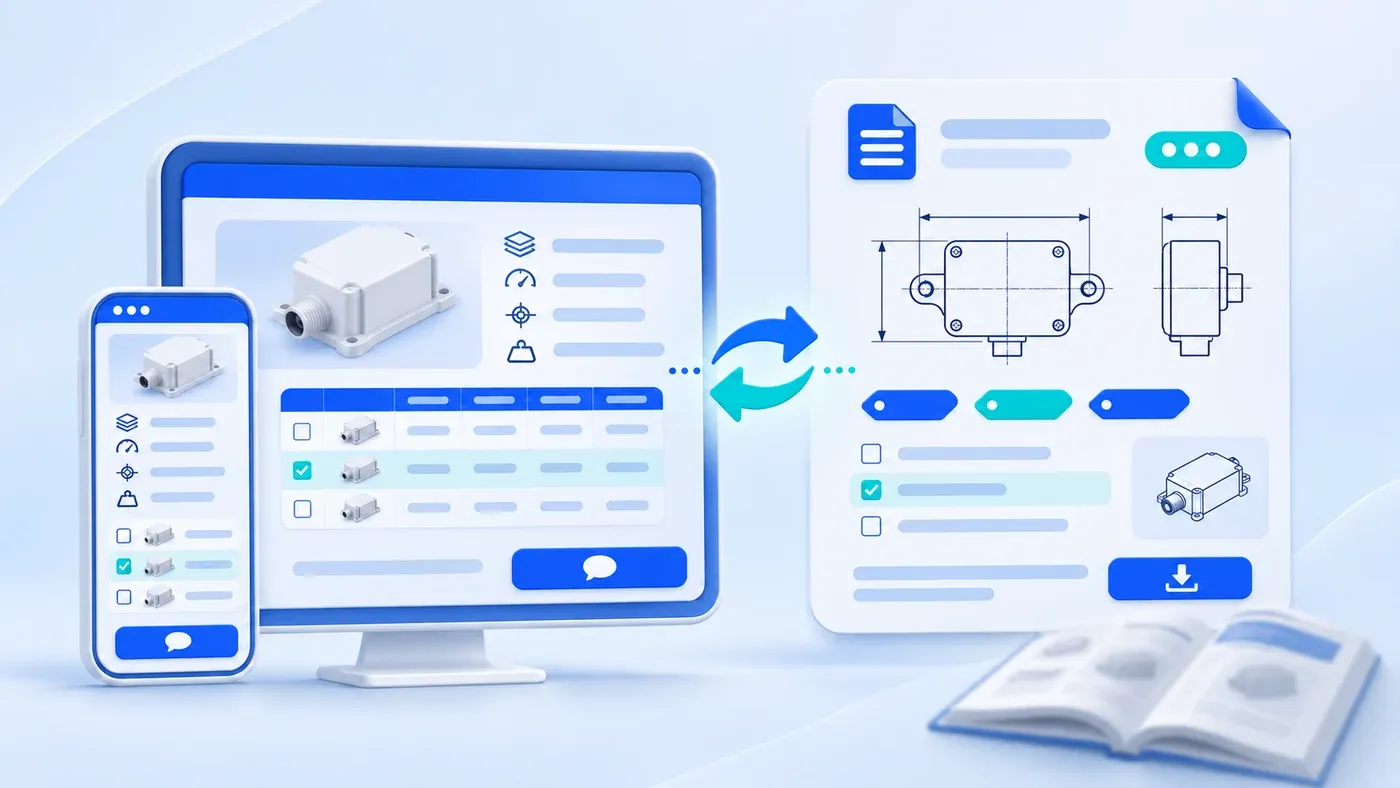
When manufacturing, instrumentation, or technical software companies rebuild their websites, the most complete asset already on hand is usually a 40-page trade show catalog PDF. Inevitably, someone proposes a shortcut: place one product photo and two intro sentences on the web page, add a "Download Catalog.pdf" button, and skip putting specs into HTML.
For B2B buyers verifying compatibility and circulating specifications internally, that shortcut creates friction everywhere. A more dependable model is a dual-track setup: publish product positioning, operating limits, series selection rules, searchable spec tables, and inquiry buttons directly in HTML; keep PDFs as lightweight, versioned engineering downloads—such as scaled 2D drawings, wiring manuals, and single-model datasheets—nested inside the product page. Gated research papers follow a separate exchange model covered in our B2B White Paper Lead Generation Guide; routine product specs should never sit behind a download wall.
Five Real Differences Between HTML Web Pages and PDF Attachments
1. Mobile Reading and In-App Browser Friction
HTML reflows naturally across viewports. On a 6-inch phone on a factory floor, text stays legible, spec tables scroll horizontally inside their containers, and engineers can tap to copy part numbers. A PDF is a fixed print canvas—usually A4 or US Letter—forcing mobile visitors to pinch-zoom and pan endlessly. Worse, B2B links frequently open inside WeChat, WeCom, WhatsApp, or LinkedIn webviews, where large .pdf links trigger download prompts, external app switches, or timeouts within seconds.
2. Search Discovery and Conversion Paths
Search engines can read PDFs, contrary to common myth. Per Google Search Central's guide on indexable file types, Google indexes text-based Adobe PDF (.pdf) files alongside HTML and supports filtering via filetype:. Yet PDFs remain encoded binary containers requiring dedicated extraction parsers. As the Google Search Central SEO Starter Guide makes clear, HTML gives you direct control over <title> tags, meta descriptions, rel="canonical" signals, descriptive anchor text between sibling models, and relevant text adjacent to product visuals. Moreover, visitors arriving directly at a standalone .pdf URL from search hit a dead end—no navigation menu, no alternative models, and no model-tagged quote button.
3. Bilingual Maintenance and Synchronization
In a structured CMS, Chinese and English fields sit on the same product record. Revising a thermal rating or retiring a variant updates both language paths in minutes. In contrast, a 20-product catalog PDF lives inside a single desktop layout file: adding one sub-model or an expanded English paragraph breaks pagination across pages, requiring designers to re-export separate files. In practice, English catalog PDFs routinely lag behind live web specs.
4. Internal Sharing Across Engineering and Procurement
B2B teams rely on two distinct sharing motions: fast technical checks favor web URLs, while formal procurement packets favor single-model PDFs. An engineer asking a teammate to confirm an interface protocol shares a direct URL readable in seconds; a buyer compiling an RFQ, ERP approval, or tender packet prefers a clean 1-to-4-page single-model PDF datasheet that attaches and prints predictably.
5. Version Freezing vs. Live Accuracy
Web pages always show the latest active spec, preventing buyers from quoting discontinued configurations. However, live updates complicate audit trails if an engineering team qualified Rev 2.1 months earlier. Pairing live HTML with revision-stamped datasheet PDFs lets both needs coexist cleanly.
Drawing the Line: What Belongs in HTML vs. Companion PDFs
- Web: understanding and selection
- PDF: complete versioned documents
- Web: current information and inquiry
- PDF: drawings and reference records
In a hypothetical scenario, suppose a machine vision supplier rebuilds bilingual product pages for its MV-400 Series Industrial Smart Barcode Reader:
- Must live directly in HTML web copy:
- One-sentence positioning, supply status, and core reading capability range;
- Target workstation scenarios (e.g., high-speed line scanning, low-contrast DPM parts) and explicit non-applicable limits;
- Ordering code breakdown and a series selection table comparing optics and working distances;
- Searchable, copyable performance, electrical, and IP-rating tables;
- Power and industrial Ethernet prerequisites, plus inquiry buttons carrying the
MV-400model code. - Belongs in companion downloadable PDFs:
- Scaled 2D dimensional drawings with mounting tolerances (alongside STEP/DXF CAD files);
- Full pinout tables, I/O wiring schematics, and multi-page field commissioning manuals;
- A 1-to-4-page single-model datasheet formatted for BOM archiving and tender submissions;
- Approved third-party compliance summaries (such as CE, FCC, or IP67 declarations).
Four Technical Standards for Any Retained PDF
- Keep text and tables selectable—never outline fonts or embed page screenshots: Outlined vector curves or raster table images break
Ctrl+Fsearch, prevent copying part codes, and block clean text extraction. Preserving structured headings, real table headers, and true text also avoids distortion if files enter internal retrieval workflows, as detailed in Why Document Format Changes AI Retrieval Quality. - Export Tagged PDFs with descriptive image alt text: Under W3C WAI WCAG 2.2 Technique PDF1, tagged PDFs containing images should include
/Alttext entries on enclosing tags (such as/Figureor tags mapped via/RoleMap). Whenever dimensional diagrams or schematics embed key labels or values, include them in the alt text so screen readers announce them accurately in logical reading order. - Include revision identity in both filenames and download cards: Replace
Catalog_FINAL2.pdfwith semantic versioned names (e.g.,mv400-datasheet-en-v2.1.pdf), and print the language, revision code, release date, page count, and file size next to each download link. - Nest downloads inside HTML product pages and retire old revisions: Never link a 20 MB catalog straight from the top navigation bar. Embed single-model PDFs on their matching product pages and remove or mark superseded revisions so outdated specs do not compete in search results.
Product Format Comparison Matrix
Evaluation Dimension | HTML-Only (No Companion PDF) | PDF-Only (Stub Page + Brochure Link) | Dual-Track HTML + Engineering PDF (Recommended) |
|---|---|---|---|
Mobile Reading | Responsive reflow, scrollable tables, one-tap copying | Tiny A4 pages on phones, constant zooming, webview stalls | Buyers screen specs in HTML and download light PDFs on demand |
Search & Conversion | Full | Text PDFs are indexable, but lack nav and quote paths | HTML captures search traffic and leads; PDF serves offline review |
Bilingual Sync | Shared CMS record keeps locales aligned in minutes | Multi-product layouts break across pages on translation | Fast-changing selection copy syncs in CMS; datasheets update by revision |
Sharing & Archiving | Great for instant URL sharing; messy for tender printouts | Clean for offline packets, but multi-product PDFs are hard to scan | Share web URLs for fast checks; attach 1–4 page PDFs to BOMs and RFQs |
Best-Fit Scenario | Lightweight SaaS or services without CAD or bid packets | Private offline packets never meant for public search | Industrial equipment, components, instruments, and technical B2B tools |
Pre-Launch Checklist for Dual-Track HTML & PDF Product Pages
[Dual-Track Product HTML & Companion PDF Pre-Launch Checklist]

1. HTML Product Page Essentials (Readable Without Downloading)
- [ ] Positioning, supply status, and primary capacity range appear above the fold.
- [ ] Operating conditions, explicit limits, and series comparisons work directly in HTML.
- [ ] Core spec tables use native, searchable, copyable HTML markup—never screenshots.
- [ ] Inquiry, sample, or engineer-check CTAs pass the active model code automatically.

2. Companion PDF Technical & Accessibility Checks
- [ ] Scope limited to scaled 2D drawings, wiring manuals, or a single-model datasheet.
- [ ] All text and parameter rows are selectable and verified via Ctrl+F search.
- [ ] Exported as a Tagged PDF with verified logical reading order across columns and tables.
- [ ] Per W3C WCAG 2.2 PDF1, diagrams include /Figure tags and descriptive /Alt text.

3. Versioning, Mobile & Bilingual Parity Checks
- [ ] Filenames carry model, language, and revision (e.g., mv400-datasheet-en-v2.1.pdf).
- [ ] Web download card states document purpose, language, revision, date, pages, and size.
- [ ] Superseded PDFs removed or marked obsolete; each locale links only to matching-language PDFs.
- [ ] Tested on real mobile browsers plus WeCom, WeChat, and WhatsApp in-app webviews.
Putting core evaluation details into responsive HTML while keeping lightweight, tagged, versioned PDFs for engineering drawings and formal archiving ensures your site works both on a buyer's phone and inside a procurement review packet. If you are breaking up oversized brochures or structuring bilingual product templates, review our Corporate Website & Standalone Site Services or bring one or two existing datasheets to our consultation page to map out your rollout.
