
Key takeaway
Choose by freshness, read or write needs, and volume. Read-only views fit queries, scheduled files fit batch sync, manual relay fits low-volume work, and UI automation only low-risk reads. Writes should drive a vendor interface. Shared admin accounts, direct database writes, and permission workarounds are not options.
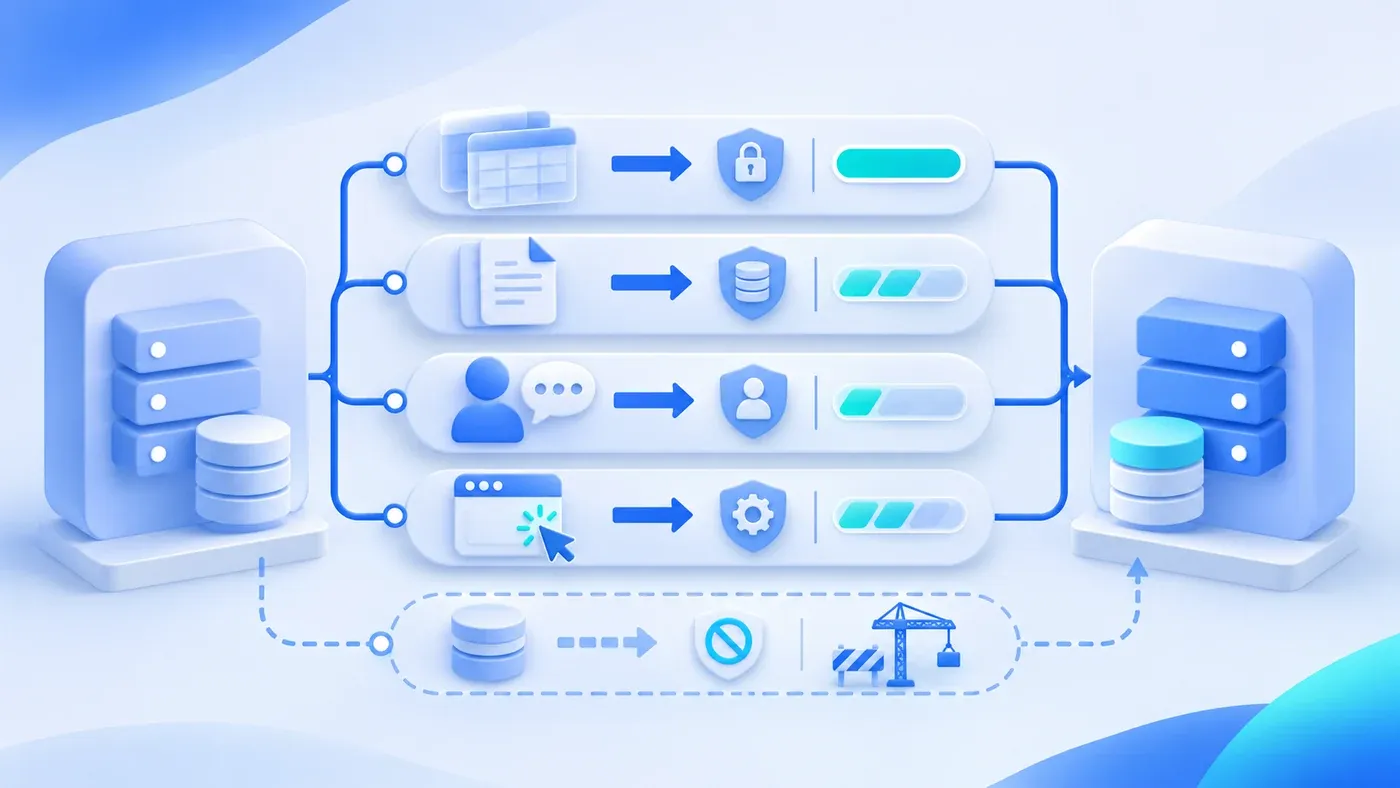
Consider a hypothetical case. The new system is chosen, but the data that matters most still lives in the old ERP: customer records, stock balances, order history. The vendor's answer is that there is no API, and no plan to add one. Someone in the project group suggests connecting the new system directly to the old database. After all, the admin account exists.
That sentence turns "how do we connect" into "how do we go around." A legacy system without an API does have other connection paths, but each comes with conditions. Decide first whether the need is read-only or includes writes, how fresh the data must be, how many records move per day, and who sees failures.
No API does not mean a full replacement
Replacing the whole system is expensive and rarely finishes in one move. A more realistic path lets the new system run one piece of work, pull data through a controlled channel, migrate business over time, and only then decide when the old system retires.
Controlled is the key word. A channel needs a named owner, an approved account, visible failures, and an exit plan. If any of these is missing, the transition becomes a permanent hazard.
Five connection options, each with conditions
One: a read-only database view. The old system's administrator or vendor creates a read-only account that exposes only the necessary views or columns, and the new system queries it on an agreed schedule. This fits reads that need fairly fresh data, such as customers, products, and stock balances. The conditions: who approves the account, which fields it can see, where connections may originate, and whether the queries will burden the old system. A read-only account must not carry write permission as a convenience, and it must never be a shared admin account.
Two: scheduled file exchange. The old system exports a file at a fixed time, and the new system imports it. This fits batch synchronization, such as an overnight customer and price sync. Conditions: a fixed naming and directory rule, a generation time and batch ID inside the file, an acknowledgment after the receiver processes it, and a way for the old side to see a failure. Freshness is limited to the batch; do not pretend it is real time.
Three: manual relay. For low-frequency, low-volume data, a person can export, check, and import against a checklist. It sounds primitive, but for a monthly reconciliation or a few dozen changed records, it is often more controllable than a hastily built, unstable interface. Conditions: a written checklist, verification steps, a named owner, and an explicit understanding that it is temporary.
Four: UI automation. A script imitates a person querying, copying, or clicking in the old system's screens. It fits low-risk reads when nothing else exists, such as collecting a report on a schedule. It does not fit high-impact writes such as payments, permission changes, or publishing: a screen redesign breaks the script, and "the page looked successful" is not proof that the operation committed. Get the system owner's consent and keep a human fallback.
Five: push the vendor for an interface or an upgrade. When writes are needed for the long term, this is usually the only sustainable option. It costs time and money, but it buys defined fields, authentication, error semantics, and maintenance responsibility. Put it into the contract or renewal terms instead of propping up temporary scripts every year.
Even a read-only view needs an approved account, not a shared admin
"We have an admin account, take it" is the most common hazard in legacy integration. It hands over read, update, and delete at once, makes actions impossible to attribute, and cannot be revoked cleanly when people change roles. Even for reads, use a dedicated read-only account limited to specific databases, tables, and columns.
The data owner decides what the read-only account can see. Phone numbers, contract amounts, and cost prices in the customer table are not needed by every module of the new system. Give one column fewer whenever possible. Restrict where connections originate, use separate credentials, and rotate them.
Constrain query frequency and query shape as well. An unindexed fuzzy search can slow the old system during peak hours. Try it against production-scale data before launch and confirm it does not drag the old system down.
File exchange needs rules beyond a file name
A scheduled export is often treated as "just export it." What actually needs agreeing: who generates it and when, where it lands, whether the name includes a batch and timestamp, when the previous file may be deleted, which batch the receiver has processed, how a failed run is repeated, and whether reading the same file twice creates duplicates.
Columns change too. After an old-system upgrade, column order shifts or a code becomes numeric. The importer needs validation and rejection, not silent writes of wrong data. Maintain the field mapping alongside the file.
Read first, write later, replace last
A three-step order works:
- Read-only. Let the new system query the old system's key data, and confirm that what staff see in the new interface matches the old one. This validates field meaning, data quality, and query performance.
- Controlled writes. When writes become unavoidable, prefer a vendor interface. Without one, have a person perform the action in the old system while the new system records and reminds. Do not let a script write directly into the old database.
- Replace and retire. After one business area runs steadily in the new system, stop writes to the corresponding old module, keep read-only queries for a period, then archive.
Every step needs an exit plan: if this channel disappears tomorrow, can the business continue; if the old system upgrades, who notifies and adjusts. A channel without an exit plan should not carry critical work.
Comparing the connection options
Option | Typical use | Freshness | Writes | Main risk | Condition |
|---|---|---|---|---|---|
Read-only view | Customer, product, stock queries | Near real time | No | Query load, excessive columns | An approvable read-only account |
Scheduled file | Batch price or customer sync | Per batch | No | Duplicate import, column changes | Stable export with traceable batches |
Manual relay | Monthly reconciliation, small changes | Human pace | Yes, by a person | Missed items, weak trace | Low frequency, low volume |
UI automation | Report collection, low-risk reads | Per run | Not advised | Breaks on screen changes | Only when nothing else exists |
Vendor interface | Long-term reads and writes | Per interface | Yes | Cost, schedule | Clear write requirement |
Draw one diagram first: which old-system data the new system uses, whether each is read or write, how often, and who handles failure. Most teams find that only one or two items truly need real-time writes; the rest can move through slower, steadier paths. How fields, authentication, and retries are agreed between systems is a separate handoff topic and is not repeated here.
If the connection belongs in a development scope, agree on the read-only range and the later write path within business system development. Cleaning and migrating the old data is a separate topic from choosing the channel here.
