
Key takeaway
A B2B inquiry form needs six clear states to prevent lost drafts and duplicate leads: field and consent validation, in-flight button locking, full text preservation on network or server errors, submission_id retry deduplication, short-window rate limits, and honest follow-up expectations.
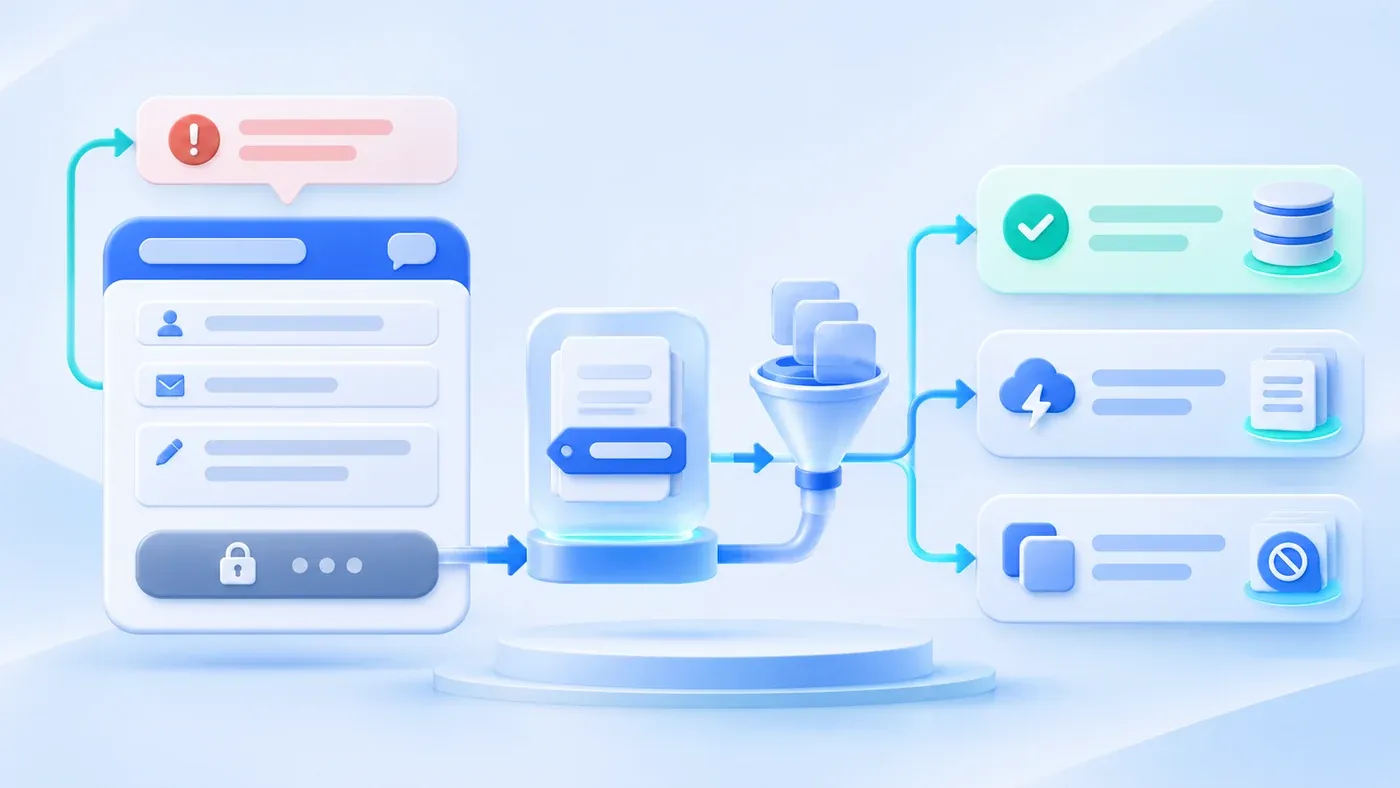
When teams review a new corporate website before launch, testing the consultation form usually takes ten seconds: someone types "test 123" on a fast office connection, clicks Submit, sees a green confirmation message, and moves on. Once the site goes live, two costly failure modes start happening in the wild.
The first is the wiped draft: a high-intent buyer expands the optional project details drawer, spends ten minutes writing 300 words about their system bottlenecks and redesign goals, and clicks Submit—only to miss the privacy checkbox, omit https:// on their website URL, or hit a brief mobile network drop. The page reloads or triggers a naive form reset, and all 300 words vanish. Few buyers will type that brief twice; most simply close the tab.
The second is duplicate submissions and false expectations: a visitor on slow hotel Wi-Fi taps Submit, sees no visual response, taps twice more, and creates three identical records in your database. Or worse, the page flashes boilerplate copy—"Check your inbox for our confirmation email; a specialist will call you in 5 minutes"—when your site neither sends automated emails nor staffs an instant callback desk.
Preventing both failures requires treating the three seconds around submission as a deliberate state machine. Between the click on Submit and the final form reset, the frontend and API must coordinate six core states (you can inspect this behavior live on the ChengXuYuan Project Consultation page).
The implementation below is illustrative. Its 20-second timeout, five submissions per ten minutes, response codes, and field names must be agreed for the actual system; they are neither industry rules nor a specification of this website. Run retry and rate-limit checks in an authorized isolated test environment.
A database uniqueness constraint and atomic conflict handling are required for submission-ID deduplication; a separate check followed by an unconstrained insert can still create concurrent duplicates.
The Six Core States Around Inquiry Form Submission
- Validation fails
- Request in progress
- Network or save failure
- Retry with the same identifier
- Rate limit reached
- Save confirmed
Keep invalid input on the form, preserve content on failure, and confirm success only after the server confirms the save.
State 1: Field and Privacy Consent Validation (Pinpoint the Error, Keep Every Word)
When a visitor clicks Submit with a missing required field, an incomplete URL, or an unchecked privacy box, the first rule is simple: identify the exact input that needs attention while preserving every character and selection already entered.
As defined in W3C WCAG 2.2 Success Criterion 3.3.1 (Error Identification), re-displaying a failed form without explanation—or relying on red borders alone—is insufficient; the specific item in error must be identified and described in text. Client and server validation should align on three details:
- Give specific, actionable prompts: Distinguish between a missing required field (
Please complete this field.), an unchecked privacy box (Please read and agree to the privacy policy.), and an optional website URL (site_url) missing its protocol (Please enter a full URL starting with https:// or http://.). - Move keyboard focus and set accessibility attributes: When the server returns HTTP
400pointing to a specificfield, setaria-invalid="true"on that control and call.focus(). Clear the error state as soon as the visitor edits the field. - Never touch unrelated fields: A validation error on one input must never clear the visitor's name, contact details, selected service tags, or project notes.
State 2: In-Flight Control Locking and Progress Feedback (Preventing Double Taps)
The instant client-side validation passes and the async POST request starts, the form must show that the click registered. On mobile or cross-border connections, a round trip often takes one to three seconds; if the button looks unchanged, visitors naturally tap again. A reliable pending state should:
- Set
aria-busy="true"on the<form>anddata-state="pending"on the status region; - Switch the submit button label and status text to
Submitting…(正在提交…in Chinese); - Temporarily disable all inputs, selects, textareas, and buttons during flight (recording prior
disabledstates to restore afterward); - Attach an
AbortControllertimeout (e.g., 20 seconds) so a stalled connection exits cleanly rather than locking the form forever.
State 3: Network Interruption or Server Failure (Zero Data Loss + Fallback Channels)
Imagine a hypothetical scenario: an operations lead on a train types out a detailed scope note on their phone, taps Submit right as the train enters a tunnel, and loses signal. If your script calls form.reset() in an error handler or reloads the page, that inquiry is lost.
When a network drop (fetch error or timeout) or server error (HTTP 500 or 503) occurs, follow two rules:
- Never call
form.reset()on failure: Unlock the controls and restore the submit button label infinally, leaving every typed word, checked box, and open<details>drawer intact. - Reassure the user that their entries are safe and offer direct alternatives: Following the W3C WAI Forms Tutorial on User Notifications, error messages should clearly explain how to recover. On a connection drop, display:
The connection was interrupted. Your entries are still here; please try again.On a server error, display:We could not save your request. Please try again or contact us directly.Because their text remains in the box, the visitor can retry once signal returns or copy their note into WhatsApp, WeCom, or email.
State 4: Idempotent Retries via submission_id Deduplication
If State 2 disables the submit button, why do duplicate inquiries still happen? Because in real networks, a request often reaches the server and writes to the database right before the response packet drops on its way back to the browser. Seeing a timeout (State 3), the visitor clicks Submit again.
Pairing a client-side submission_id with a server-side content hash makes retries safe:
- Client-side payload keying: On first submit, the frontend serializes the form payload (
requestKey) and generates a random UUID v4submissionId. If the request fails and the user clicks Submit again without changing any input (key === requestKey), the browser reuses the samesubmissionId. - Server-side hash check:
/api/consultationhashes the normalized input (requestHash, SHA-256) and checks ifsubmissionIdalready exists. If a matching record has the samerequestHash, it returns HTTP200 { ok: true }without inserting a duplicate row. If the samesubmissionIdarrives with a modified payload, the server returns HTTP409(Please submit the updated form again.), prompting the browser to clearrequestKeyand generate a fresh UUID next time.
State 5: Short-Window Rate Limiting (Protecting the Queue)
To stop automated scripts or rapid test clicks from flooding the inquiry queue, enforce a short-window rate limit: compute an HMAC-SHA256 digest (contactHash) of the normalized contact string and count valid submissions within the last 10 minutes (600,000 ms). At 5 submissions, return HTTP 429 (Retry-After: 600) with a calm prompt: Please wait a few minutes before submitting again. Keep any hidden anti-spam honeypot (website_note) strictly separate from the real optional website input (site_url) so legitimate buyers are never blocked.
State 6: Honest Post-Submit Expectations and Clean Reset
Only after receiving HTTP 201 (or idempotent 200) should the form set data-state="success", show the confirmation message, run form.reset(), collapse <details> drawers, and clear requestKey.
Avoid overpromising in your confirmation copy. Never claim an automated confirmation email was sent or promise a 5-minute callback unless those systems actually exist. Instead:
- Confirm persistence plainly:
Thank you. Your project request has been received. - State the real next step: Explain that requests are recorded in the consultation backend for follow-up via the contact channel provided, and note that visitors can also share project materials via phone, email, or WhatsApp (WeCom on Chinese pages). How your team routes that record internally is covered in How Inbound Inquiries Route Automatically to the Right Person.
Inquiry Form States, UI Behaviors, Data Retention Rules, and Bilingual Copy Matrix
State Scenario | Trigger & HTTP Status | Control & Focus Behavior | User Input Retention Rule | Chinese Feedback Copy (ZH) | English Feedback Copy (EN) |
|---|---|---|---|---|---|
1. Validation Failure | Client | Mark field | Retain 100% of typed text and selections | Required: | Required: |
2. In Flight (Pending) | Validation passed; async | Set | Keep visible on screen (locked during flight) | | |
3. Network Drop / Timeout | | Unlock controls, restore button label, status | Retain 100%; never call | | |
4. Server Save Error | Server returns HTTP | Unlock controls, restore button label, status | Retain 100% for retry or copy-paste to email/chat | | |
5. Retry & Rate Limit | Same | | | | |
6. Confirmed Success | Server returns HTTP | Status | Clear form inputs (prevents stale data on shared devices) | | |
QA Acceptance Checklist: Inquiry Form State & Draft-Loss Prevention
[B2B Inquiry Form State & Draft-Loss Prevention QA Checklist]

Part 1: Validation & Accessibility Feedback
[ ] 1. When required fields (name, contact) or the privacy checkbox are omitted, does the form show explicit text instructions rather than border color alone?
[ ] 2. Does entering a URL without http:// or https:// into the optional website field (site_url) trigger a clear protocol hint?
[ ] 3. When any validation error occurs, are 100% of typed project notes, company names, and multi-select choices preserved?
[ ] 4. On server-side field errors (HTTP 400), does the offending input receive aria-invalid="true" and keyboard focus, clearing when edited?

Part 2: In-Flight Locking & Draft Preservation on Failure
[ ] 5. On clicking Submit, does the button switch to "Submitting… / 正在提交…" with aria-busy="true" and all controls disabled?
[ ] 6. With DevTools set to "Offline", click Submit: does the banner confirm entries are still there, keeping all text and open drawers without a reload or form.reset()?
[ ] 7. On a simulated HTTP 500 response, are all user entries preserved alongside a prompt offering phone or email contact?

Part 3: Idempotency, Rate Limiting & Locale Switching
[ ] 8. When retrying after a simulated timeout without changing fields, does the client reuse the same UUID v4 submissionId and create only 1 database record?
[ ] 9. After 5 valid submissions from the same contact within 10 minutes, does the 6th return HTTP 429 with Retry-After: 600 and a polite wait message?
[ ] 10. Is the optional website field (site_url) strictly separated from the hidden honeypot field (website_note)?
[ ] 11. Does clicking the ZH / EN language toggle carry over only selected service tags (interest)—never personal inputs or consent state?

Part 4: Honest Success Confirmation & Clean Reset
[ ] 12. Upon HTTP 201 / 200, does the form reset inputs, collapse optional <details> drawers, and clear active checkbox styling?
[ ] 13. Does the success message match real backend capabilities (no false claims of automated emails or 5-minute callbacks)?
[ ] 14. Does the form area clearly state that visitors can share project materials via phone, email, WhatsApp (EN), or WeCom (ZH)?
Handling the few seconds around submission with care respects the time buyers invest in explaining their project—and keeps high-intent inquiries from vanishing on a flaky connection. If you are planning a website build or redesign, explore our Corporate Website & Standalone Site Services or test these states firsthand on our Project Consultation page.
