
Key takeaway
In-app browsers and system browsers are different runtimes. Test inside WeChat, in system browsers, and on desktop: opening, navigation, audio and video, keyboard and inputs, upload, share cards, and login. Confirm capabilities on real devices and official documentation; do not promise interfaces not provided.
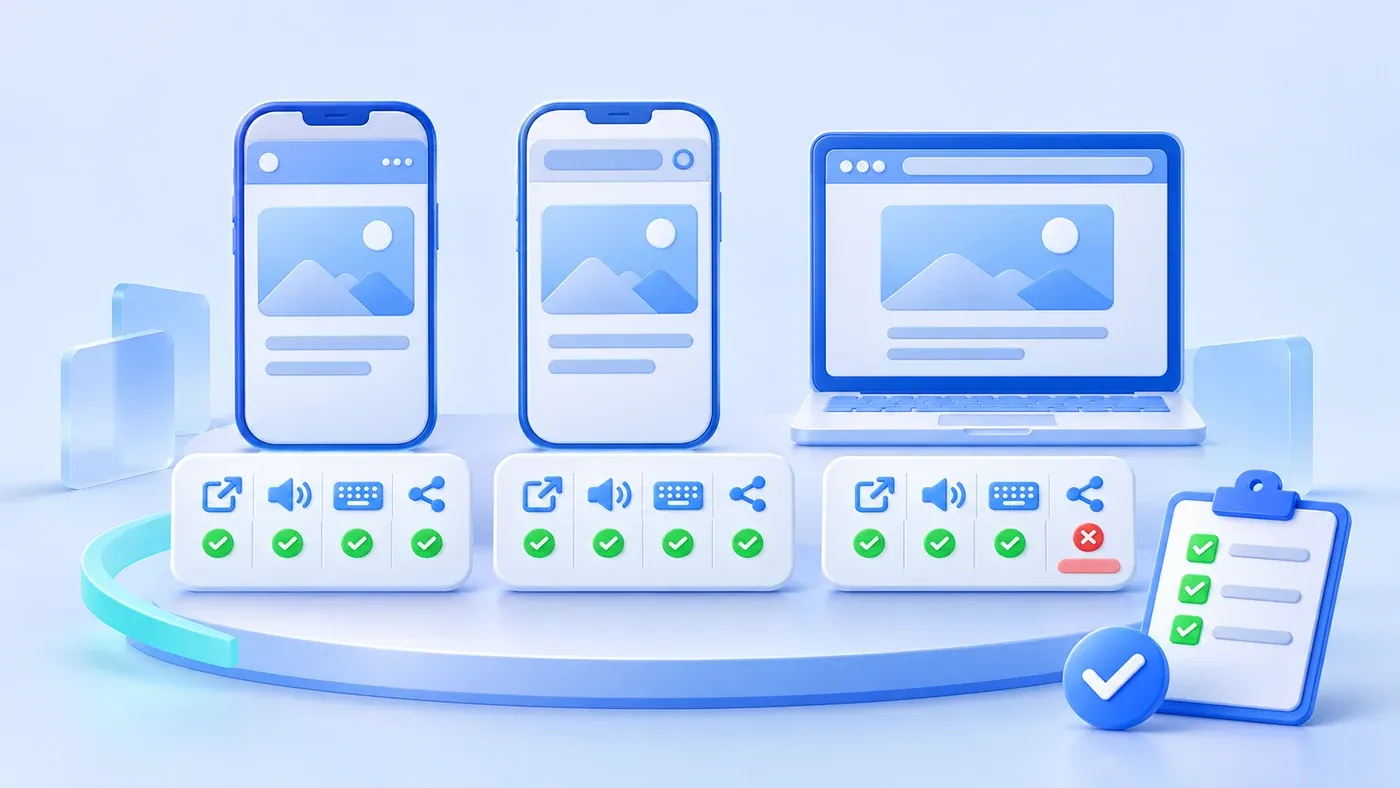
Suppose the following happens. The campaign H5 runs end to end in a desktop browser: animation, auto-playing music, form submission, a share button with a QR code. The team considers it ready. Shared into a WeChat group, problems cluster: some see a blank screen, some only the first panel, some hear no audio, and when entering a phone number the keyboard covers the submit button.
Desktop browsers, mobile system browsers, and in-app browsers are not the same runtime. The page code may be identical, but WebView version, permission policies, input methods, back gestures, sharing capabilities, and network conditions differ. H5 acceptance must be done separately.
Five acceptance tasks
Do not accept by "does the page display"; accept by the tasks a participant must complete:
- Open and first screen: from chat, QR code, social feed, or external link, does the first screen appear in reasonable time?
- Navigation and return: in-page links, external links, back, close and reopen.
- Audio and video: does playback require a tap, and do mute, pause, backgrounding, and return work?
- Keyboard, input, and upload: is an input covered by the keyboard, is the right keyboard shown, can photos or files upload?
- Sharing and login: does the share card work, does authorization complete, and is failure explained?
Run each in WeChat, a mobile system browser, and desktop. Desktop is a reference, not a substitute for real devices.
Opening, navigation, and return
Open from real entrances: group link, social feed, article, QR code, SMS. Different entrances may carry different parameters or pass through platform redirects.
Check first-screen load time, especially on mobile networks. Common causes of a blank screen include oversized assets, script errors, cross-origin failures, and platform interception. The page must show loading and failure states instead of staying blank.
Test three navigations: within the site, to an external domain, and back from external. In-app browsers handle back gestures and close buttons differently, and users may lose the return path. Key pages should offer an explicit "back to campaign" entrance.
Audio and video
Autoplay with sound is commonly blocked. Per MDN's autoplay guide, browsers generally allow autoplay only when media is muted, the user has interacted with the page, the site is allowed, or a permissions policy grants it; both the autoplay attribute and scripted play() count as autoplay, and exact policies vary by browser.
So do not assume "music starts when the page opens." Test whether sound plays on entry, whether a tap is required, whether it plays after tapping, whether it resumes after backgrounding, whether mute works, and whether the iOS silent switch affects it.
For video, also test inline playback, fullscreen, autoplay, captions, and network switching. In-app environments may restrict fullscreen or picture-in-picture; confirm on real devices.
Keyboard, input, and upload
The mobile keyboard occupies the lower half of the screen. When an input sits near the bottom, the submit button may be covered. Tap every input and check that the page scrolls it into view and the button remains clickable.
Test input types: numeric keyboard for phone numbers, paste for verification codes, system picker for dates. Chinese input candidate windows can cover content and need real-device confirmation.
For uploads, test camera, photo library, and file manager, plus progress and retry. In-app browsers differ in camera and file permission prompts; explain what happens after a denial.
Sharing and login
Do not test sharing by seeing whether tapping does something. Check the shared title, description, thumbnail, and whether opening the share returns to the same page with parameters intact.
Test login authorization for first-time grant, denial, expiry, and account switching. On failure, give a clear explanation and retry, not a blank screen. Specific platform capabilities follow official documentation and real devices; this article promises no sharing or login interface a platform does not provide and does not cover mini-program services.
Real devices and accounts
Prepare at least one iPhone, one mid-range Android phone, the latest WeChat, and the latest system browser. Use real accounts and real networks, not a Wi-Fi-only test device.
Test accounts should cover new users, existing users, signed-out users, and users without permission. If the campaign has regional or eligibility limits, check what ineligible users see.
Compare WeChat and Standalone Browser Behavior
Task | In WeChat | System browser | Desktop | Failure |
|---|---|---|---|---|
Open from group link | First screen appears | First screen appears | First screen appears | Blank or long load |
In-page navigation and return | Returns to campaign | Returns | Returns | Lost back path |
Audio playback | Plays after tap | Plays after tap | May autoplay | No sound or cannot pause |
Keyboard and submit | Button not covered | Button not covered | Not applicable | Button under keyboard |
Photo upload | Camera or library works | Camera or library works | File selection works | Upload fails silently |
Share card | Correct title and image | Not applicable | Not applicable | Blank or wrong page |
"Plays after tap" is common, not universal. Follow the devices and versions you actually tested, and record them.
Run These Tasks in Both WeChat and a Browser
[H5 multi-environment acceptance checklist]

1. Environments
- Tested in WeChat, system browser, and desktop:
- Real devices and real networks used:
- OS, browser, and WeChat versions recorded:

2. Tasks
- Opens from real entrances with a normal first screen:
- In-page, external, and back navigation work:
- Audio requires a tap as expected; pause and backgrounding work:
- Keyboard does not cover inputs or buttons:
- Camera, library, and upload work:
- Share title, image, and destination are correct:
- Login success, denial, and expiry are explained:

3. Failure
- Load failures show a message and retry:
- Unsupported features have a fallback:
- Key pages always offer a return entrance:

4. Records
- Every result records device and version:
- Failed items have an owner and retest date:
- Simulator results are not used in place of real devices:
Before launch, have three people on different phones each complete one real task inside WeChat, not a developer demonstrating on their own device. H5 problems often appear only on someone else's phone. The scope of H5 and interactive content can be discussed within content and interactive support.
How content must be restructured per platform is in publishing one piece everywhere is not simple.
Combine cross-browser checks with first-screen loading and the full state table, beyond one successful desktop run.
