
Key takeaway
To estimate website size accurately, split a vague page count into four units: unique layout templates (design and engineering scope), CMS records (copy and media prep), public URLs multiplied only by ready languages, and utility or status views (legal pages, pagination, search, drafts, and 404s).
Early in a website project or bid comparison, someone inevitably asks: "How many pages are we building?" Marketing adds up products, cases, and articles and replies "around 120 pages." Design reviews the structure and counts "only 8 layout templates." Before bilingual launch, QA exports 240 live URLs—not counting pagination, search, or error routes.
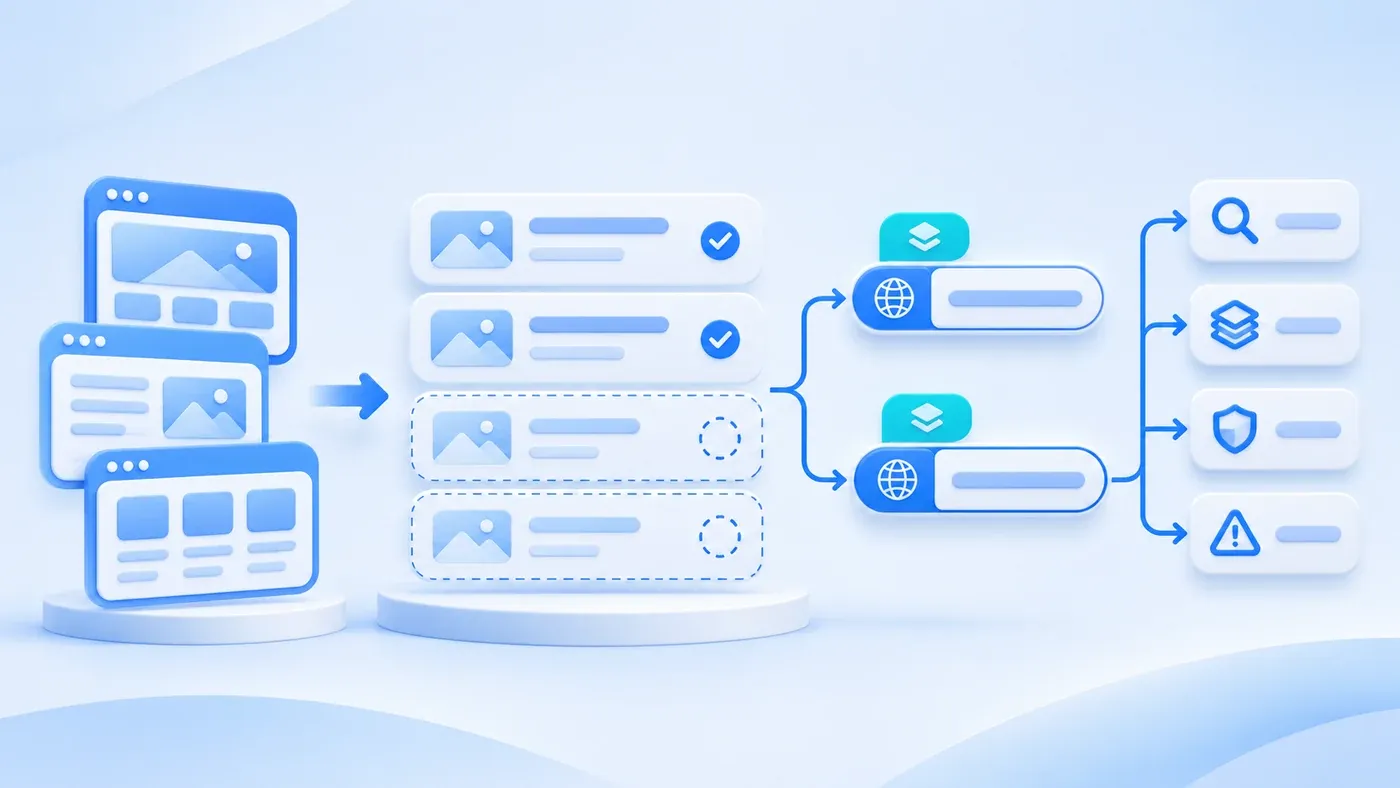
Nobody is inflating numbers. Everyone is simply measuring a different unit. To estimate website size reliably from a content inventory, replace one vague page count with four distinct metrics: unique layout templates (Templates), CMS content records (Records), public URLs multiplied by ready languages (Locale URLs), and status or utility views (legal pages, pagination, search, drafts, and 404s). Splitting those counts reveals immediately whether scope changes hit design and engineering or copywriting, translation, and QA.
Why "Total Page Count" Changes Depending on Who Is Counting
Each team counts what it delivers. Business leads count products, solutions, and articles buyers read. Designers and developers count unique layouts requiring responsive grids and CMS fields. Localization and QA leads count every live URL verified before launch.
Mixing those units distorts quotes and timelines—one vendor estimates solely on "10 layout templates," while another prices cleaning specs, cropping assets, and checking bilingual copy across 80 entries. If materials are still scattered across decks and an older site, run through our Website Project Preparation Checklist before counting.
The Four Counting Units of a Website Page Inventory
- Layout templates
- Content records
- Completed language URLs
- Supporting pages and states
1. Unique Layout Templates (Templates): The Baseline for UI and Front-End Code
A template is a reusable layout blueprint with defined sections and fields. Pages sharing the same structure—even with different headlines, specs, and photos—reuse one template. Usually, Homepage, About, and Consultation each take a distinct template (3), while 12 standard products share just 2 (1 list + 1 detail template). Only custom interactive layouts add templates.
2. CMS Content Records (Records): The Baseline for Copy, Media, and Data Entry
A record is one entry stored in your CMS—one fixed page config, product, solution, case, or article. Two 10-template sites need similar code, yet 20 records versus 150 records means vastly different writing, asset prep, and entry hours. Include Phase-1 drafts queued in the CMS here too, since teams still draft and review them.
3. Public Locale URLs (Locale URLs): The Baseline for Bilingual Publishing and Link QA
Public Locale URLs count live browser-accessible addresses. Following Google Search Central's guide on managing multi-regional and multilingual sites, multilingual sites should use distinct URLs per language (e.g., /zh/... and /en/...) and keep visible content and navigation in one clear language rather than mixing untranslated copy.
Thus, bilingual URLs do not equal Records × 2 automatically. Multiply each record only by languages translated and approved for launch. With 30 Chinese articles and 20 localized English equivalents, those 30 records yield 20 × 2 + 10 × 1 = 50 live URLs—no half-translated placeholder pages.
4. Status and Utility Pages: Engineering Boundaries Outside Core Content
Production sites also include five operational or compliance views:
- Legal pages (Privacy Policy, Terms): Share one text layout with public URLs per active language.
- List pagination: Generated dynamically when published items exceed a page limit (e.g., 12 items). Adds zero templates and zero records, yet creates paginated routes to test.
- Site search: Usually one route per language (
/zh/search,/en/search) with empty-state layouts, normallynoindex. - Drafts and previews: Require editorial work while producing zero public URLs, and must stay blocked from public visitors and sitemaps.
- 404 and error states: Need a branded fallback template and true HTTP 404 responses, excluded from content totals.
This aligns with Google Search Central's Sitemaps overview, which defines a "small" site (about 500 pages or fewer) by counting only pages you think need to be in search results—keeping search, drafts, and 404s separate.
Which Count Drives Design Effort vs. Content and QA Effort?
Separating these four counts isolates workload drivers cleanly (quote components and launch indexing rules belong to separate checklists):
Counting Unit | Growth Trigger | Primary Workload Driven | Common Mistake |
|---|---|---|---|
Layout Templates | New layouts or bespoke interactive views | UI design, prototyping, responsive code, and CMS schema | Assuming 10 extra products mean 10 design fees, or omitting search/404 templates |
CMS Records | More products, cases, or articles (plus drafts) | Interviews, writing, image prep, spec checks, and CMS entry | Estimating timeline from templates while overlooking missing copy |
Public Locale URLs | Adding languages across approved entries | Business localization, media swaps, language mapping, and URL QA | Treating bilingual builds as auto-translation without per-URL review |
Utility & Status Views | Pagination, search, legal copy, and draft rules | Conditional routing, empty/error states, and access-control QA | Omitting utility routes early, then rushing 404s or privacy pages |
Prune early as you count: fold two-paragraph subpages into parent pages to drop extra templates, and check each row against how corporate website content generates B2B leads so every page answers a buyer question.
Hypothetical Example: Page Inventory Estimate for a Bilingual B2B Website
Note: The table below is a hypothetical example created solely to demonstrate this estimation method and does not represent an actual client project.
Suppose a mid-sized B2B industrial equipment provider plans Phase 1 of a bilingual (Chinese and English) website: 1 homepage, 3 fixed pages, 12 products across 3 categories, 4 solutions, 8 approved case studies, and 30 insight articles (20 bilingual, 10 Chinese-only), plus 6 draft articles and 2 pending case studies in the CMS.
Section or Page Type | Templates | Records | Phase-1 Public Languages | Public URLs | Notes & Boundaries |
|---|---|---|---|---|---|
Homepage | 1 | 1 | Bilingual (×2) | 2 | Dedicated hero and overview layout |
Fixed Core Pages (About, Process, Consultation) | 3 | 3 | Bilingual (×2) | 6 | Three structurally distinct layouts |
Products (1 Overview + 3 Categories + 12 Details) | 2 | 16 | Bilingual (×2) | 32 | 1 list/category template + 1 detail template |
Solutions (1 Overview + 4 Details) | 2 | 5 | Bilingual (×2) | 10 | 1 list template + 1 solution detail template |
Project Cases (1 List + 8 Approved Cases) | 2 | 9 | Bilingual (×2) | 18 | Only client-cleared cases generate URLs |
Insights (1 List + 30 Ready Articles) | 2 | 31 | List + 20 bilingual; 10 ZH-only | 52 | Untranslated items create no EN shells ( |
Core Content Subtotal | 12 | 65 | — | 120 | Primary business and search-relevant scope |
Legal Pages (Privacy Policy, Terms) | 1 | 2 | Bilingual (×2) | 4 | Shared long-form text layout in footer |
Utility Views (Site Search + 404) | 2 | 0 | Search bilingual; 404 on demand | 2 (Search) | Search is |
List Pagination (12 articles/page) | 0 | 0 | ZH pages 2–3; EN page 2 | 3 (Paginated) | Reuses list template dynamically |
Unpublished Drafts (6 articles + 2 cases) | 0 | 8 | Unpublished | 0 | Requires editorial prep; zero live URLs |
Full Inventory Summary | 15 | 75 | 120 Core + 4 Legal | 124 Formal URLs | Plus 2 search, 3 paginated, and 404 state |
Looking at one table explains the miscommunication: multiplying 65 core entries by two produces a loose "130-page site" estimate, whereas design builds 15 templates, editorial manages 75 CMS records (including 8 drafts), and QA tests 124 formal public URLs plus search, pagination, and 404 isolation.
Blank Page Inventory & Scope Worksheet (Copy and Fill In)
Before locking design scope or comparing proposals, spend 30 minutes completing this worksheet with real asset status (mark unknowns "TBD"):
[Corporate Website Page Inventory & Scope Worksheet]

1. Baseline Rules
- Phase-1 Language Scope (Single language / Full bilingual / Staged English):
- List Page Size (e.g., 12 articles per page):
- Missing-Translation Rule (Keep untranslated records off target locale URLs? Yes / No):

2. Section Count (Type | Templates | Records | Bilingual | Single-Lang | Public URLs | Readiness [Ready/Draft/Missing])
A. Fixed Core Pages
- Homepage: Templates(1) | Records(1) | Languages(  ) | URLs(  ) | Readiness:
- Fixed pages (About, Process, Consultation—list each):
  - [Page 1]: Templates(  ) | Records(1) | Languages(  ) | URLs(  ) | Readiness:
  - [Page 2]: Templates(  ) | Records(1) | Languages(  ) | URLs(  ) | Readiness:

B. Structured Collections (Typically 1 List Template + 1 Detail Template each)
- Products / Services: Templates(  ) | Records(  ) | Bilingual(  ) | Single-Lang(  ) | URLs(  ) | Readiness:
- Solutions / Use Cases: Templates(  ) | Records(  ) | Bilingual(  ) | Single-Lang(  ) | URLs(  ) | Readiness:
- Project Cases (Approved only): Templates(  ) | Records(  ) | Bilingual(  ) | Single-Lang(  ) | URLs(  ) | Readiness:
- Insights / News: Templates(  ) | Records(  ) | Bilingual(  ) | Single-Lang(  ) | URLs(  ) | Readiness:

C. Legal, Utility, and Drafts
- Legal Pages (Privacy, Terms): Templates(  ) | Records(  ) | Public URLs(  )
- Site Search & 404: Templates(  ) | Search Routes(  ) | Custom 404(Yes/No)
- Est. Paginated Routes (Published items ÷ page size): Approx. (  ) routes
- Unpublished CMS Drafts: Records(  ) | Public URLs(0)

3. Rollup & Quick Checks
- Total Templates (Design/dev): ____ | Total Records incl. drafts (Editorial): ____ | Total Formal Public URLs: ____
- Check: [ ] Folded thin pages; [ ] Excluded untranslated & unapproved items from public URLs; [ ] Named copy/review owners.
Putting these four counts on one sheet takes half an hour and keeps content volume separate from template complexity. When you are ready to map out a build or bilingual redesign, see our Corporate Website & Standalone Site Services or bring your completed inventory sheet to a consultation to align Phase-1 scope.
