
Key takeaway
Write the audience and the decision they should make, then list steps, conditions, exceptions, and owners. Each shot carries one information purpose; narration and visuals complement each other. Exceptions and failure paths cannot be omitted. Confirm the script before storyboarding and do not invent demo results.
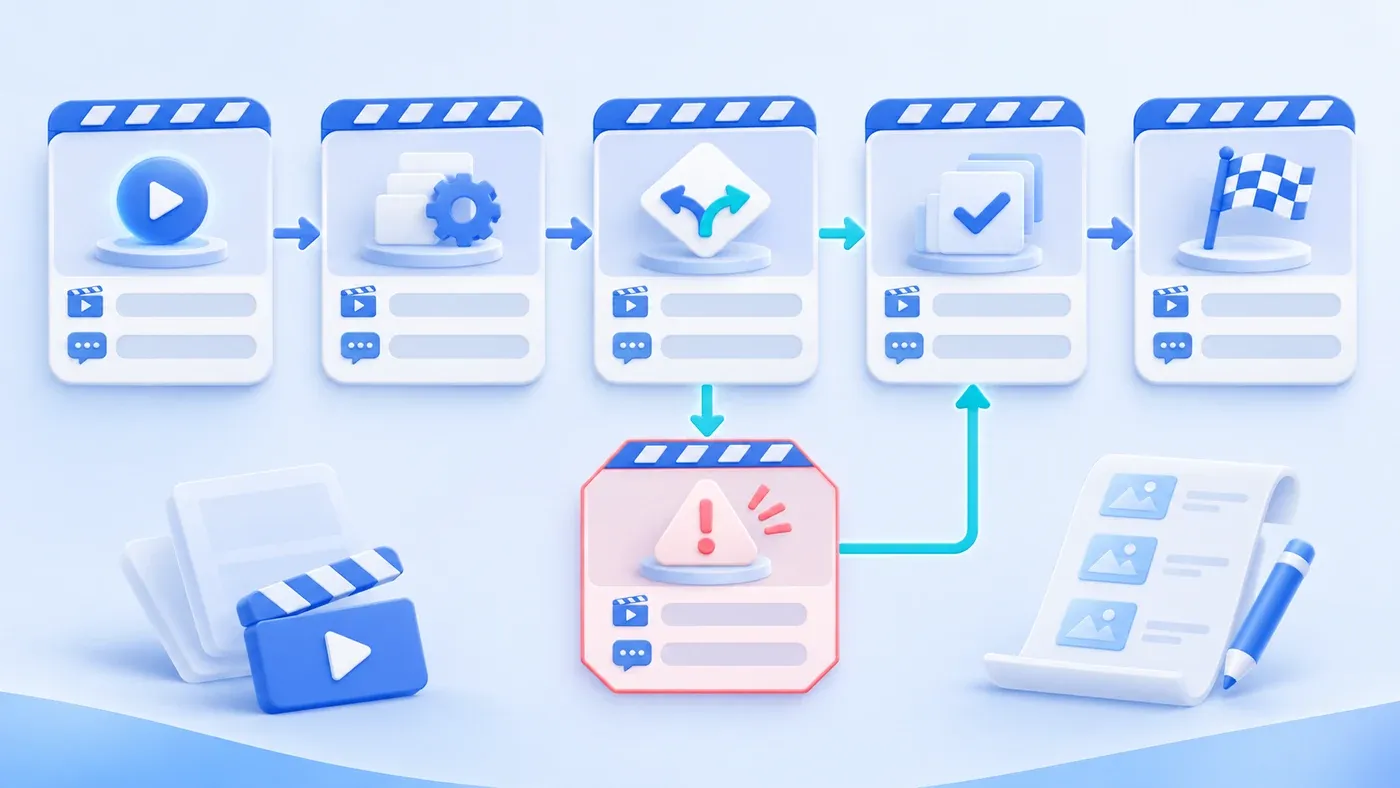
Consider a hypothetical case. A team produces a three-minute animation explaining what happens after a customer orders: sales takes the order, the system records it, the warehouse picks, logistics ships, the customer signs. The visuals are polished and the pacing smooth. Afterward, a customer asks: if the goods are wrong, whom do I contact? The animation has no such segment. The script covered the happy path; exceptions stayed on the meeting-room whiteboard.
The value of a process animation is not making a flowchart look good. It is helping viewers understand in a few minutes how the work starts, who it passes through, under what conditions it changes, and what to do when something fails. The script answers those before any visual discussion.
A script is not an animated flowchart
A flowchart lists nodes and arrows; an animation script writes the viewer's path to understanding. Viewers need not memorize every system name, but they need to know where they are, what to do, and whom to find in an exception.
So the first page is not a storyboard. It is: who watches, what decision they should make, and what is most unclear to them now.
Write five things first
Audience: customers, new employees, partners, or management. Patience for detail differs.
Decision goal: what the viewer can decide afterward, such as "know which step my order is at" or "know whom to contact when something fails."
Steps: the main path in order, each with input, action, and result.
Conditions: when another path applies: amount, region, order type, stock status.
Exceptions and owners: how failure, return, shortage, and timeout are handled and by whom. Exceptions are part of the process, not an appendix.
Confirm these five before writing narration and visuals. In script review, the business owner should be able to point out any step that differs from reality, not discover it after production.
One purpose per shot
Each shot carries one information purpose: a step, a condition, or an exception. Too much information per shot is unmemorable; a shot with no purpose is decoration.
Add an "information purpose" column to the storyboard. A shot whose purpose cannot be written should be cut. If "the warehouse shelf rotates" is only attractive and does not help viewers understand picking conditions, it does not deserve three seconds.
Narration and captions
Narration explains cause and condition; visuals show objects and actions. They should not repeat the same sentence or contradict each other.
Captions must stand alone. Many viewers watch muted or in noisy places; captions are not a transcript but a condensed version of key information. Numbers, conditions, and owners belong in the captions.
Exceptions and failure paths
Exceptions disappear from animation most easily because they are not smooth or beautiful. But they are often what viewers most need: wrong goods, rejected approval, system failure.
Show exceptions as branches: the main path goes right, the exception goes down, then rejoins the flow or hands over to a person. Screen time can be short, but it must exist.
If exceptions are numerous, group them—missing information, out of stock, approval returned—with a handling entrance for each. Do not replace them with "contact customer service if there is a problem."
A simple storyboard table
Shot | Narration point | Information purpose | Process node |
|---|---|---|---|
Customer submits an order | Where the order starts | Know the starting point | Order |
Sales confirms requirements | Which details are confirmed | Know what to provide | Intake |
Warehouse picks | Picking against order and stock | Know what to wait for | Fulfillment |
Exception: out of stock | Notification and alternatives | Know whom to contact | Exception |
Customer signs | The process ends after signing | Know the endpoint | Completion |
The table need not be detailed, but every cell needs an information purpose. The production team estimates duration and assets from it far more reliably than from a prose script.
Narration length and information pacing
Narration is not reading the script aloud. At a normal pace, a minute carries roughly 130 to 160 English words; a three-minute animation therefore holds about 400 to 480 words. Beyond that, either the voice speeds up or the visuals are dragged by the narration.
How long a shot stays on screen depends on how much the viewer must absorb. One step plus one condition usually needs five to eight seconds; an exception branch may need ten or more. Put an estimated duration in each storyboard cell. If the total runs over, cut shots with no information purpose before compressing narration.
Read the narration aloud with a timer. A sentence you cannot finish gets shortened; if it cannot be shortened, split it across two shots. Viewers have no pause button, and a missed sentence breaks the next one. Leave a little silence after each exception; viewers need a moment to recognize that the path changed before the next line explains what to do.
Silence is part of the pacing, not empty time. Use it deliberately.
A measured read-through catches more than intuition.
Write the Process Boundaries Before Production
[Business process animation script checklist]

1. Goal
- Who is the audience, and what decision should they make:
- Is the script organized around that decision:
- Are system names and internal jargon avoided:

2. Process
- Are main-path steps, inputs, actions, and results clear:
- Do condition branches have explicit criteria:
- Do exceptions and failure paths have shots and handling entrances:
- Is the owner of each step identifiable:

3. Visuals
- Does each shot have a single information purpose:
- Do narration and visuals complement rather than repeat:
- Can captions stand alone when muted:
- Are numbers, conditions, and contact details accurate:

4. Production
- Did the business owner confirm the script before storyboarding:
- Does the storyboard note duration and asset needs:
- Are real demo results or customer data kept out:
Write a one-page script with only audience, decision goal, main path, conditions, and exceptions, without visual adjectives. Have one target viewer read it and restate the process and what to do on failure. If they cannot, no amount of polish fills the script's gap. How to map the process itself is in map the workflow before automating it; format and asset strategy belong to production. The scope of process animation and content production can be discussed within content and interactive support.
Keep script facts and assets consistent through the cross-format handoff, and include interruption and replay in state acceptance.
