
Key takeaway
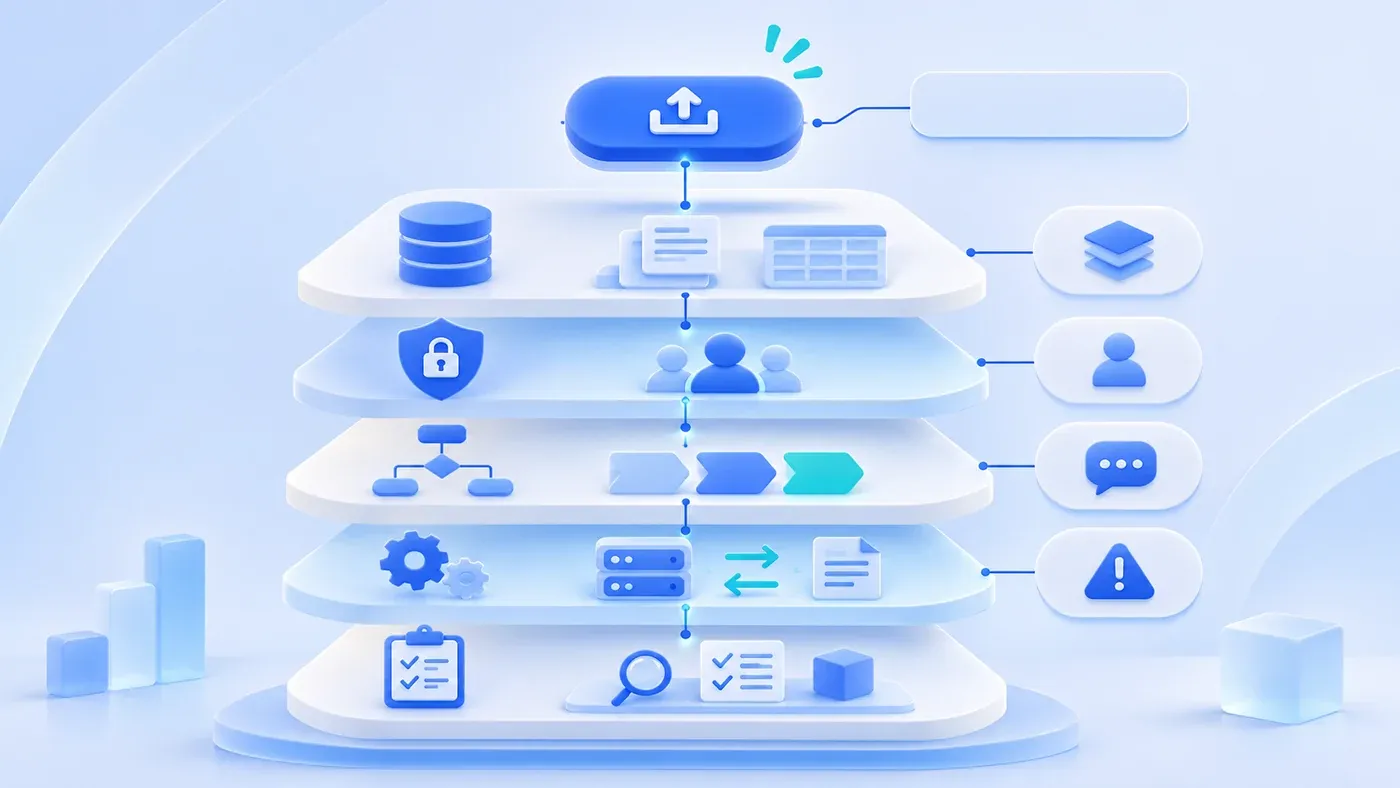
A button sits on five layers: data sources, who may click, which records they see, what workflow it triggers, which interfaces it calls, and what must be regression-tested. An impact assessment records scope, risk, and acceptance before scheduling. Not every change is complex, but the hard part cannot wait.
The export-feature request below is hypothetical. Its effort estimate is an illustration, not a quote or a real project schedule.
Halfway through development, the business asks for a customer list export button that saves the filtered result as Excel. It sounds small. Development estimates three days. After launch: the exported fields do not match what the business wanted; sales can export every customer in the company; large data sets time out; the file contains phone numbers that should not appear.
The button is the small part the business sees. Beneath it sit five layers: data, permissions, workflow, interfaces, and testing. Skipping any one means catching up after delivery.
Five layers beneath the button
Data: where the exported fields come from, whether they already exist in the list, whether customer, order, and attachment data must be joined; how empty values, formats, and units are handled; whether the file matches the screen.
Permissions: who sees the button, who may export, which records and fields they may take; whether record scope applies and approval is needed; whether exports are logged.
Workflow: whether export is read-only or triggers status changes, notifications, or locks; whether someone acts on the file afterward and how failure is corrected.
Interfaces: whether data comes from this system or an external API; whether the API supports batches, has rate limits, and how timeouts or partial failures affect the file.
Testing: which existing features need regression; whether permission combinations are covered; whether large volumes, empty results, and bad input are tested.
Data: confirm what "export" means
The business's "customer list" may mean the current filter or all customers; it may mean visible fields only or contacts, orders, and follow-up records. The three scopes are built differently.
Confirm the source of each field. "Recent deal amount" may be calculated live; should the export recalculate it? Status displays a name; does the file need the name or the code? Does money carry a currency, and which time zone do dates use? Without these answers, the file becomes a second, conflicting definition in the business's hands.
Permissions: a button is not an authorization
An export button raises three permission questions: who sees the button, who may execute the export, and which records and fields the export may carry.
Can sales export only their own customers or the whole company? Can finance export a customer list including phone numbers? After the file leaves, can access be revoked? Page permissions rarely answer these, because export takes data away and carries more risk than viewing.
Export should log who exported which record scope, how many rows, and which sensitive fields. A downloaded file cannot be tracked, but at least the system knows who took it.
Workflow: does export change business state
Most exports are read-only, but some change state: "export and mark as processed," "export and lock this month's data." Treat those as business actions with confirmation, logs, and failure recovery.
Export may also trigger notifications: who receives the completion email, and does it contain sensitive data? Sending to the wrong recipient is worse than the export itself.
Interfaces: when data lives elsewhere
If the export depends on an external API, confirm batch support, per-call limits, rate limits, and timeouts. When the API fails, does the whole export fail, or does the file contain completed parts with missing sections marked?
Do not loop API calls in the browser to assemble a large file. For large volumes, generate in a background job and notify when ready. Failures must be retryable without producing multiple duplicate files.
Testing: regression scope follows impact
Adding a button changes the list page, permission checks, export service, and file generation. Regression should cover at least: what each role sees and may export; empty filters and very large volumes; empty or malformed fields; permission revoked during export; the message after a generation failure.
If other exports exist, check whether the new one reuses the same permission and logging path. Reusing the wrong one can carry another module's data out with it.
A sample change assessment
Layer | Questions to confirm | Impact | Risk | Acceptance |
|---|---|---|---|---|
Data | Which fields, scope, and format | List, customers, orders, attachments | Inconsistent definitions | Sample-check screen against file |
Permission | Who clicks, which records and fields | Roles, record scope, logs | Sensitive fields leak | Export once per role |
Workflow | State changes or notifications | State machine, notices, locks | Business changed by mistake | Walk the full flow |
Interface | External APIs, batches, timeouts | APIs, background jobs | Partial failure | Simulate timeout and large volume |
Testing | Which existing features regress | List, permissions, export | Old features break | Complete regression checklist |
The assessment does not have to add many days, but it must answer who is affected, what the worst case is, and how it will be verified. Without those answers, do not commit to a date in the meeting.
Talking about schedule with the business
Do not just say "this is complex." Translate the five layers into business questions: Is the export the current filter or everything? Should phone numbers appear? Who receives the file, and will they forward it? For large volumes, is background generation acceptable?
Once scope and risk are confirmed, development estimates the schedule, with testing and acceptance included, not just coding.
Not every change needs the full assessment. Wording changes and a display field with no permission impact can proceed directly. Changes that take data out, touch permissions, states, or external interfaces deserve half a day with the table completed.
A change impact checklist
[Feature change impact checklist]

1. Scope
- The specific problem the change solves:
- What the business sees versus what the system must change:
- Existing features that may be affected:

2. Five layers
- Data: fields, sources, formats, empty values, volume:
- Permission: who uses it, which records and fields leave, logging:
- Workflow: state changes, notifications, locks:
- Interface: external services, failures, retries:
- Testing: regression scope and acceptance:

3. Schedule and risk
- The worst case, and whether it is acceptable:
- Whether to release in steps or start read-only:
- Who confirms scope and who accepts the result:
Take the most recent "just add a button" request and fill in the table. A cell you cannot fill is where the estimate diverges. Whether a rule should become configuration is discussed in the rule trade-offs within business system development; this article assesses the impact of one change. How to organize existing flows and fields is covered in the system preparation guide.
