
Key takeaway
Define brand constants first: color, light, material, composition, and density. Then define variables: object, scene, and meaning. Write one sentence of visual meaning per article, and avoid reusing the same robot or glowing sphere. AI image rights and commercial terms vary; check the source before publishing.
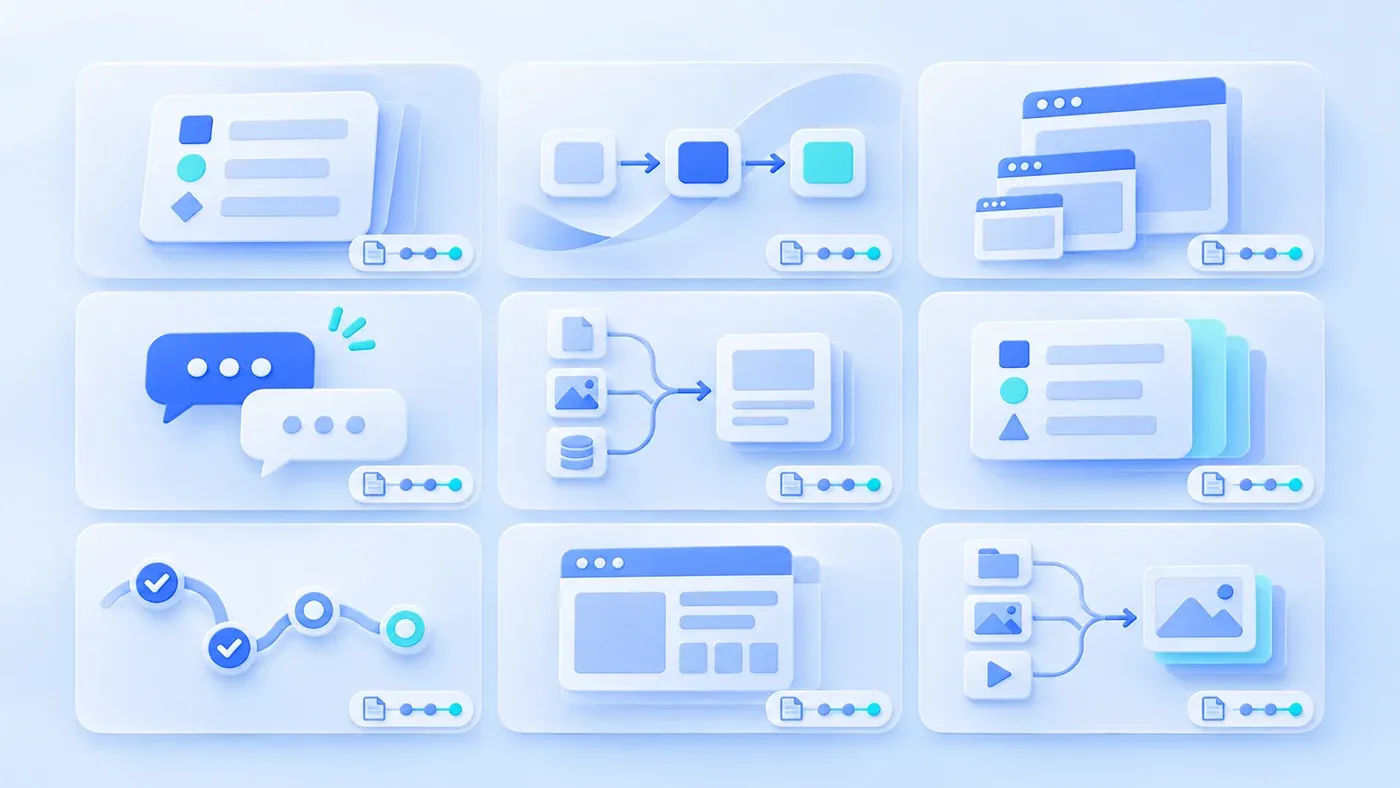
Suppose the following happens. A content team gives ten articles one AI image each: a glowing brain, a blue globe, a robot at a desk, an abstract data stream. Each looks fine alone. On the article list, they look like ten different companies' blogs. A reader scrolling down cannot tell this is one brand.
The model is not the problem, nor the number of generations. Nobody defined what our images look like, what may vary, and what each image means.
Constants make a family
Constants are the visual traits perceived first when images sit together:
- Color: primary, secondary, background lightness. Stay within the brand's blue-and-white system; not one cold blue, one warm orange.
- Light: soft, hard, backlit, or shadowless. The set should agree.
- Material: flat vector, paper, glass, metal. Mixing materials splits the style.
- Composition: subject position, whitespace ratio, camera height. For example, left-weighted with generous whitespace.
- Information density: how many objects per frame. Large differences also break the set.
Constants need not be a long brand manual; five to eight actionable lines suffice. "Blue-white, clean, modern" is useless. "Near-white background, brand blue primary, at most two accents, soft light, subject occupying one third" is usable.
Variables make each image different
Variables change with the topic: object, scene, action, metaphor.
Under one set of constants, objects can differ: field cards, process lines, page structures, chat bubbles, folders, status labels. Each image says something different while still belonging to the set.
If every article uses a robot, a brain, or a glowing sphere, the variables were never designed; the same metaphor was merely rotated. Readers remember the robot, not the article.
One sentence of visual meaning per article
Before generating, write one sentence stating what the image expresses:
- "The same customer record is managed separately across three branches."
- "A form restores its draft after an interruption on a phone."
- "Two conflicting documents are shown side by side with their sources."
This sentence is the core of the brief. Without it, the prompt falls back on "blue, technology, business," producing attractive but meaningless images.
After the meaning, choose object and composition. Prefer diagrams for what can be diagrammed—field cards, state transitions, page hierarchy—and reserve image generation for atmosphere.
Avoid one repeated metaphor
Keep a list of used metaphors and objects. Before the next article, check the list and choose a different expression where possible.
Not every topic needs a different object. A series can share a visual language, but at least the core object should vary. Otherwise the list page becomes one image copied.
Keep text and data out of images
Do not put specific text, numbers, or customer information into AI-generated images. Text is easily mangled, numbers may be read as real data, and customer information raises privacy issues.
Put explanations in the article or caption; use editable charts for data, not generated images. If a schematic number must appear, label it hypothetical and keep it consistent with the text.
Source and rights
AI image copyright, commercial terms, and platform policies vary by tool, region, and generation method. Do not assume "AI-generated means no copyright issue," and do not claim full rights without checking.
Record per image: tool and version, generation date, prompt or reference images, post-processing, license or terms, and permitted commercial scope. On ingestion, follow the enterprise asset library's naming and ledger rules.
If third-party images, brand elements, or real people were referenced, confirm the authorization scope. Generated images must not impersonate customer projects, real team photos, or tested results.
An image brief template
[AI image brief]
- Article or page:
- Visual meaning (one sentence):
- Constants: color, light, material, composition, density:
- Variables: object, scene, action:
- Forbidden: text, numbers, customer logos, real people, robot clichés:
- Size and crop: 16:9 cover plus 1:1 share image:
- Source record: tool and version, date, prompt, references:
- License and usage scope:
- Post-processing and final file location:
Selecting from a batch
Generate three to five candidates at a time and select against the constants, rather than settling on the first image. Record why a candidate was rejected: wrong color, repeated object, unclear meaning. The next brief learns from that list.
Review the batch as a grid, not one by one. A single image can look fine alone and wrong beside its neighbors. The grid reveals whether the set has one visual voice and whether the objects vary enough.
Keep the selected image's source record with the article, not only in a shared folder. When the article is updated or translated, the record shows what can be regenerated and what must be replaced.
Also check the crop at the sizes actually used: list thumbnail, article header, social share. An image that works at 16:9 may lose its subject at 1:1 or on a narrow phone screen. If a candidate needs heavy post-processing to fit, it is usually the wrong candidate; prefer one that fits the system at generation time. That keeps the set easier to extend later. Review the grid again after the next five images; consistency drifts gradually, and a short monthly review catches it.
Review the set monthly so drift is caught before it becomes the new normal.
Separate Brand Constants from Visual Variations
[AI image brand consistency checklist]

1. Constants
- Are color, light, material, composition, and density defined:
- Are descriptions actionable rather than "modern, clean":
- Do a set of images look like one brand together:

2. Variables
- Does each image have a clear meaning:
- Does the object change with the topic rather than repeating a robot:
- Is a used-metaphor list maintained:

3. Content
- Are generated words, numbers, and customer information kept out:
- Are necessary schematic numbers labeled hypothetical:
- Do images avoid impersonating customer projects or real teams:

4. Source
- Are tool, version, date, and prompt recorded:
- Are license and commercial terms checked:
- Are post-processing and final files traceable:
For the next article, write one sentence of visual meaning, pick three constants and three variables, and generate or select three candidates to place beside existing images. If all three look like another brand, change the constants; if all three say the same thing, change the variables. The scope of imagery and visual material can be discussed within content and interactive support.
Naming, ingestion, and rights ledgers for an enterprise asset library are in how to manage an enterprise asset library.
For images shared by a website and slide deck, agree on versions and crops. Product facts in the image still need a publication check.
