
Key takeaway
A bilingual website's language switcher should keep visitors on the equivalent page in the target language rather than resetting to the homepage. Define mapping rules for static pages, collection slugs, list states, and safe form parameters, and disable silent fallback for untranslated content.
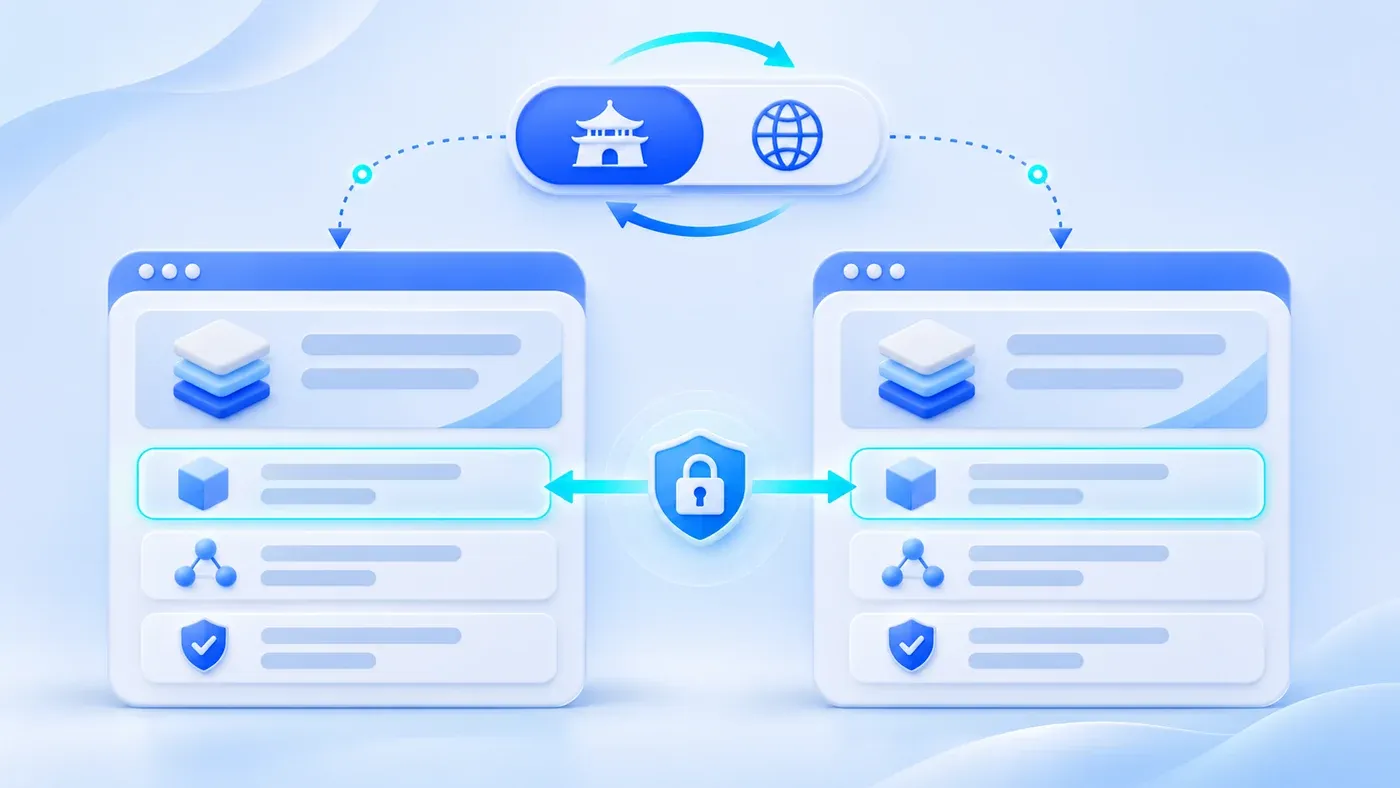
Many bilingual corporate websites look polished on the homepage, only to fail on a simple two-step visitor journey. Imagine a prospective buyer reading a specific service scope, reviewing a technical article, or selecting a project category on your consultation form. When they click the EN / 中 language switcher in the header—either to read in their preferred language or to verify how a technical term is phrased—the website abruptly dumps them back onto the homepage. The page they spent three clicks finding is gone, forcing them to hunt through an unfamiliar navigation menu from scratch.
A language switcher should never be wired as a static link to the other language's homepage. A well-engineered bilingual website keeps visitors on the equivalent target-language page whenever that translation exists, preserving their reading and evaluation context. And when a specific page has not been translated yet, the system should disable silent language fallback and route visitors to an honest fallback destination—never rendering untranslated Chinese body copy inside an English URL.
Why Resetting to the Homepage Breaks Cross-Border Buyer Handoffs
In B2B purchasing and technical evaluation, language switching rarely happens out of idle curiosity. Most often, it happens during an internal handoff between colleagues working in different languages.
Consider a typical scenario: a regional engineer or sourcing specialist based in China finds a relevant solution page on your Chinese site—such as the Multilingual & Global Standalone Site Solution—or a deep-dive technical article like How to Build a Multilingual Enterprise Knowledge Base. Convinced your company fits their shortlist, they copy the URL from their browser bar and send it to an overseas procurement lead or project director. When that overseas decision-maker opens the link, they cannot read Chinese, so their immediate instinct is to click EN in the top navigation bar.
If clicking EN resets them to /en:
- The decision-maker loses all context: They have no idea which service line, solution, or case study their colleague just recommended, and few busy executives will comb through every dropdown menu to reconstruct the trail.
- Deep links shared by sales and marketing lose their value: Every specific guide, case page, or solution link shared in emails and chat threads degrades into generic homepage traffic the moment a recipient switches languages.
- Mobile friction multiplies: Re-opening a mobile hamburger menu and drilling down through multi-level navigation on a phone screen is frustrating enough that many international visitors simply close the tab.
As Google Search Central's guide on managing multi-regional and multilingual sites recommends, multilingual websites should use distinct URLs for each language version and let users switch the page language through clear links to the corresponding version of that page rather than forcing disruptive redirects.
Route Mapping Rules Across Four Core Page Types
- Fixed page: corresponding route
- Detail page: the same topic
- List: category and valid pagination
- Form: controlled choices only
Keeping visitors on the matching page requires more than hardcoding a single toggle component. Because a corporate website contains different kinds of routes, your rendering layer needs explicit mapping rules for four distinct page types.
1. Structured Business Pages: One-to-One Route Mapping
The core backbone of a corporate website—including the homepage, service overview and detail pages, solution pages, delivery process, company profile, project preparation checklists, and contact page—usually follows a stable template structure across languages. For these pages, switching between Chinese and English is a direct one-to-one mapping that swaps the locale prefix (or switches the mapped regional hostname in a dual-domain setup).
For example, when a visitor is inspecting your Corporate Website & Standalone Site Services at /en/services/website, the language switcher in the desktop header, mobile drawer, and article header should point directly to /zh/services/website. Whether the user switches from desktop or mobile, they land immediately on the equivalent page in the target language.
2. Collection Detail Pages: Shared Slugs with Readiness Checks
Content collections that grow over time—such as insights articles, company news, and project case studies—work best when both language versions live under the same database record and share a single semantic URL slug, rather than being created as two disconnected entries with different URLs.
When /zh/blog/multilingual-enterprise-knowledge-base and /en/blog/multilingual-enterprise-knowledge-base share the same record and slug, generating the language switcher link requires just one server-side check: verifying whether the target language version of that record is marked ready and published. If both languages are complete, the toggle switches seamlessly between the two URLs. If one language is still in draft or intentionally single-language, the switcher falls back gracefully to the parent collection index instead of exposing a broken 404 link.
3. Category Lists, Filters, and Pagination: Preserve Intent, Reset Out-of-Bounds Pages
Collection index pages, category archives, and on-site search pages often include category segments or pagination parameters. Mapping these routes across languages requires balancing user intent against content volume differences:
- Category and archive pages: Keep the matching category and current page when that page exists in the target language. Return to the category's first page only when the requested page is unavailable or the range cannot be established. Preserve valid context and provide a fallback for out-of-range cases, rather than resetting every switch.
- On-site search pages: A query may be a language-specific phrase or a shared brand, model or abbreviation. Do not automatically discard it. Retain the query and start on the target language's first search page; if nothing matches, explain the empty result and let the visitor revise the terms. An optional clear-and-restart action depends on the search experience.
4. Consultation Form Pages: Pass Safe Enumerations, Strip Personal Data
The consultation page is the closest step to an inquiry conversion—and the place where naive URL parameter handling creates privacy and compliance risks.
Visitors frequently arrive at the consultation form from a specific service page or preparation checklist that pre-selects a service category via a query parameter, such as /zh/consultation?service=website. If the visitor clicks EN after landing on that form, the switcher should preserve that controlled, whitelisted service enumeration and route to /en/consultation?service=website. That way, the English form automatically pre-selects "Corporate Website & Standalone Site" without making the visitor choose again.
However, you must enforce a strict privacy boundary: never serialize personal or business text that the user has already typed into form fields—such as their name, phone number, email address, company name, existing website URL, project notes, or privacy consent checkbox state—into the language switcher URL.
There are two critical reasons for this rule:
- Privacy and record exposure: Personal information in a URL query may enter browser history, receiving-system logs or analytics, depending on configuration. A URL is not a private channel for form contents.
- Consent is not a link parameter: The user should read the relevant notice and act explicitly in the final submission interface. A language-switch link neither silently checks the box nor replaces consent.
In short: whitelist known service category enumerations across language switches, and discard all free-text inputs and consent states.
Handling Untranslated Pages Honestly: Why You Must Disable Silent Fallback
In real-world website operations, maintaining 100% simultaneous bilingual parity across every single historical notice or regional update is not always practical. Some pages may launch in Chinese first while English localization is under review, or a local announcement may only apply to one market.
When a translation is missing, many headless CMS platforms default to automatic locale fallback: if the English body field is empty, the API silently returns the Chinese text instead. On the front end, this produces a jarring hybrid page under an /en/... URL where the navigation bar, breadcrumbs, and footer are in English, while the entire body content is in untranslated Chinese.
You should explicitly disable silent locale fallback in production:
- From a buyer trust perspective: An international buyer who clicks an English link and lands on a wall of untranslated Chinese text will assume your website is broken or unfinished—and question whether your team can actually support English-speaking clients.
- From a search quality perspective: Google Search Central's multilingual site guidelines explicitly note that Google determines a page's language from its visible content, and warn that translating only the boilerplate navigation while keeping the bulk of the content in a single language creates a poor user experience and can cause duplicate content issues in search results.
Instead of faking completeness with fallback text, implement an explicit per-language readiness gate (localeReady) in your CMS:
- Turn off silent field fallback: When querying English content, fetch English fields strictly without falling back to Chinese strings. Missing translations should surface immediately during editorial preview.
- Pair shared record status with per-locale readiness: Keep a single shared publishing status (
_statusas draft or published) for the record, paired with an explicit "Current language content is complete and ready for public access" toggle for each language. An English URL only goes live when the record is published and its English readiness toggle is checked with all required fields verified. - Route the language switcher honestly when a target page is not ready: If a specific page is only published in Chinese, its English URL should remain unindexed and inaccessible to anonymous visitors, and the
ENswitcher on that Chinese page should route gracefully to the nearest relevant English overview section or parent index rather than leading to a dead end or a mixed-language page.
Bilingual Page Mapping & Fallback Reference Matrix
Use the matrix below with your product, editorial, and engineering teams to standardize how every route behaves when a visitor switches languages:
Page Category | Source Route Example (ZH) | Target Route When Translation Is Ready (EN) | Fallback Behavior When Target Language Is Not Ready | Query Parameter & Privacy Rules |
|---|---|---|---|---|
Homepage | | | Mandatory core page; both languages must be verified before launch | Strip temporary campaign or tracking noise |
Structured Business Pages (Services, Solutions, Process, About, Guides) | | | Do not expose the incomplete English URL; point the switcher to the relevant English overview section or parent page | Keep clean canonical path |
Insights Articles & News Details | | | Standard articles require verified bilingual title and body before publishing; single-locale news routes back to | Share the same semantic |
Category Archives & Paginated Lists | | | If no public content or the requested page is unavailable, provide an explicit working list entry | Preserve valid pagination; reset only out-of-range pages |
On-Site Search | | | Always accessible; keep search result pages marked | Retain useful query terms, reset search pagination, and allow revision after an empty result |
Consultation Form | | | Mandatory core page; switch contact sidebar to official WhatsApp link and English form copy | Pass whitelisted |
404 & Error States | | | Preserve true HTTP 404 status; let the language switcher take the user to a working target-language entry page | Do not loop broken path segments |
How This Site Keeps the Current Article and Page
In this site's current implementation, one content record holds both article languages. They share a slug and maintain separate titles, excerpts and bodies. Switching language on an article opens its counterpart; category lists retain the category and page instead of resetting to the homepage.
Try switching between page two in Chinese and its English counterpart, then open an article. This is a concrete implementation on this site, not a claim that URL replacement alone handles every language or missing translation. Availability still follows the content's publication rules.
Copy-and-Use Bilingual Switching Acceptance Checklist
Before signing off on a bilingual website build or redesign, run through these six verification checks across desktop and mobile browsers:
[Bilingual Language Switching Acceptance Checklist]

1. One-to-One Interior Page Retention
- [ ] Open 3 service detail pages, 2 solution pages, and 1 project case study in Chinese. Click "EN": does every page stay on its matching English detail page instead of resetting to `/en`?
- [ ] Click "中" from each of those English detail pages: does it return to the exact Chinese page you started from?

2. Shared-Slug Article & News Switching
- [ ] Open a published insights article in Chinese and switch to "EN": verify that the URL slug stays identical and that the body copy, table of contents, date formatting, and call-to-action links are fully localized.

3. Mobile Drawer & Header Variant Consistency
- [ ] On a mobile viewport, open the navigation drawer on an interior page and tap the "中 / EN" toggle: confirm it uses the same page-level mapping as the desktop header rather than a hardcoded homepage link.
- [ ] Check transparent hero headers, article reading headers, and compact consultation headers to ensure the active language is visually indicated (e.g., bold weight and underline).

4. Consultation Form Parameter & Privacy Boundary
- [ ] Navigate to `/zh/consultation?service=website` and click "EN": confirm the English form still pre-selects the Website service option.
- [ ] Fill in a test name, phone number, email, and project description on the Chinese form and check the privacy consent box, then click "EN": verify that the browser URL contains zero personal input fields and that the English privacy consent checkbox starts unchecked.

5. Localized Contact Channel Alignment
- [ ] After switching to English on any page, verify that floating contact bars, footer popovers, and consultation sidebars switch from domestic WeCom QR codes to the official WhatsApp chat link and international contact copy.

6. No Silent Fallback Verification
- [ ] For any page where English is marked unready in the CMS, open its potential English URL in an incognito window: confirm it returns a proper 404 or configured redirect, and never renders Chinese body paragraphs inside an English page frame.
Getting language switching right is a small engineering investment that protects your highest-intent cross-border visitors—whether they are evaluating your technical capabilities themselves or forwarding a deep link to an international decision-maker. If you are planning a bilingual website redesign or expanding your overseas digital presence, explore our Multilingual & Global Standalone Site Solution or bring your current site URLs to our consultation page to discuss your page structure and localization workflow.
