
Key takeaway
A B2B product page for equipment, components, or software modules needs more than a photo and spec sheet. To generate qualified leads, it must clarify five essentials: target operating conditions, explicit limits, model comparison rules, downloadable CAD/spec files, and model-specific inquiry steps.
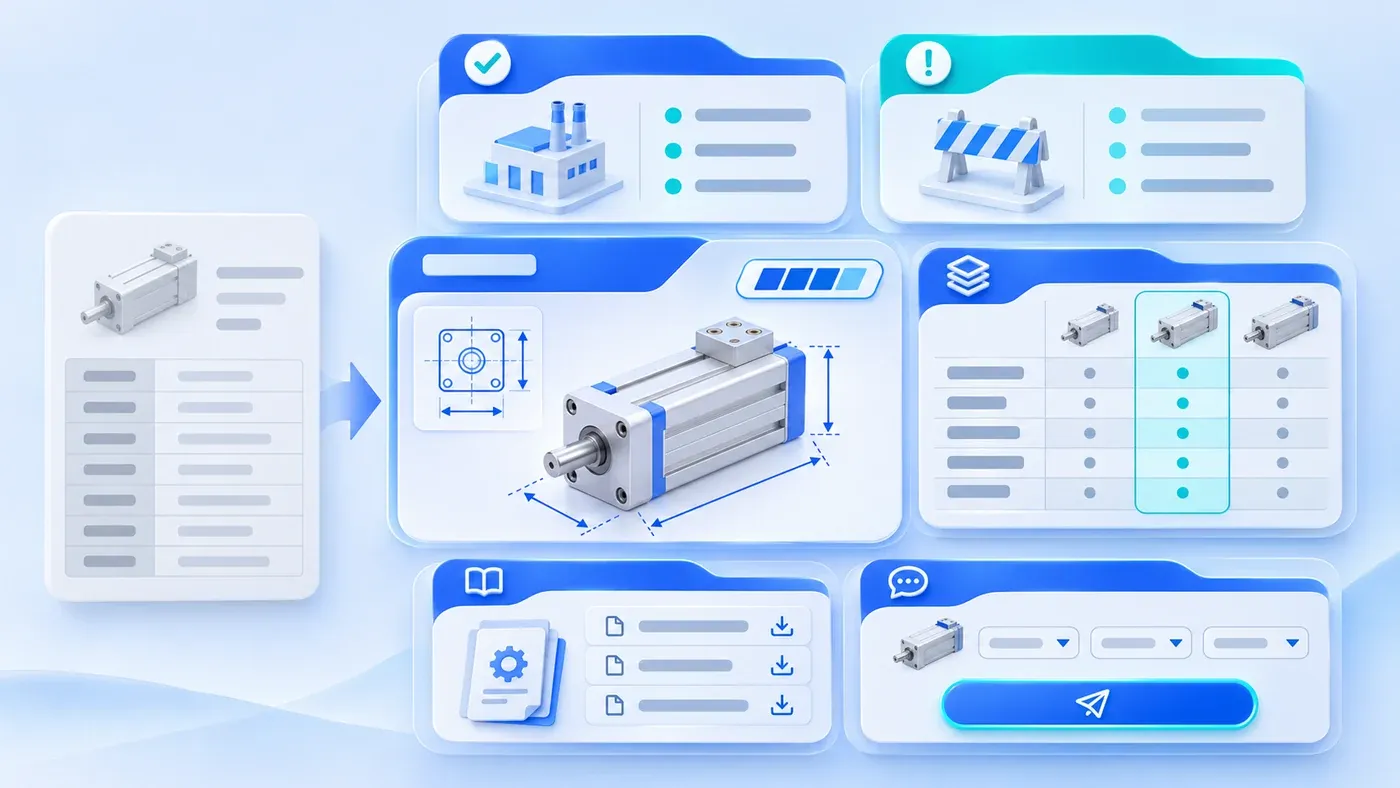
Open the product detail page of almost any industrial equipment maker, precision component supplier, instrument manufacturer, or B2B software module vendor, and you will often see the same layout: a studio photo on the left, two lines of generic slogans ("High precision, rock-solid reliability, widely used across industries") on the right, and a flat image screenshot of a specification table pasted below. On the surface, the product is "online." In practice, visiting R&D engineers leave because they cannot tell whether the unit fits their operating environment, and procurement specialists leave because they do not know which exact part number to quote.
For B2B products with defined models, measurable specifications, and structured selection rules—as opposed to custom, non-standard engineering services—a raw parameter table is only the starting point. To turn technical visitors into qualified inquiries, a B2B product detail page must answer five questions beyond basic specs: what specific operating conditions and system positions it serves, where its explicit operating limits lie, how buyers should choose among sibling models in the same series, what engineering drawings and certifications are available for internal review, and how to initiate a quote or sample request with the exact model context attached.
Why a Photo Plus a Brochure Screenshot Fails B2B Buyers
Unlike consumer shopping, a B2B product page rarely convinces a single person to click "Buy" on the spot. Instead, it serves two distinct roles working in sequence:
- Technical evaluators (R&D engineers, process engineers, or system integrators): Their first job on your page is risk elimination—verifying whether your component matches their mounting envelope, communication protocol, chemical compatibility, and thermal margins. When a page only lists nominal ratings without operating conditions or boundary constraints, engineers will not risk specifying your part into their bill of materials (BOM).
- Commercial buyers (procurement leads or project coordinators): Once an engineer shortlists a model series, procurement returns to verify exact ordering codes, compliance certifications, lead-time preconditions, and sample policies. If the page hides ordering rules or forces them into a generic contact form, the resulting inquiry is vague, triggering days of back-and-forth emails.
Compounding this problem is a common publishing habit: exporting specification tables from desktop publishing files as flat JPG or PNG images and dropping them into the CMS. As documented in the Google Search Central SEO Starter Guide and Google Images Best Practices, essential product details, model numbers, and specifications should be published as crawlable HTML text rather than locked inside images, while product photos and dimensional diagrams should be paired with descriptive context and accurate alt text. Screenshot tables cannot be searched with Ctrl+F, prevent engineers from copying part numbers into BOM spreadsheets, become illegible on mobile screens, and make it harder for search engines to match your page to specific model queries.
The Five Core Questions Every B2B Product Detail Page Must Answer
- Engineering: fit and limits
- Purchasing: model and evidence
- Confirm the suitable model
- Inquire with model context
1. Where Exactly Does It Operate in the System, and Under What Conditions?
Most B2B product pages include an "Applications" section that reads: "Widely used in automotive, semiconductor, food and beverage, pharmaceutical, and environmental industries." To an engineer, that sentence carries zero diagnostic value. Knowing you sell to the automotive industry does not tell them whether your sensor survives high-temperature robotic welding cells or is meant for climate-controlled cleanroom inspection stations.
A useful product page replaces broad industry labels with system position + specific task + environmental profile. For example, in a hypothetical scenario involving an industrial corrosion-resistant dosing pump, state the exact operating context: "Installed at chemical distribution cabinets in photovoltaic wet-bench cleaning lines and PCB etching systems to meter concentrated acid or alkaline solutions at ambient to 60°C via external 4–20mA or pulse signals." Within five seconds, a process engineer knows whether the product fits their line.
2. When Should Buyers NOT Choose This Model? (Explicit Operating Limits)
Marketing teams often hesitate to publish limitations on a product page, fearing that listing "non-applicable conditions" will drive prospects away.
In B2B technical evaluation, the opposite happens. Engineers know that no physical component or software module works everywhere; pages claiming universal compatibility immediately trigger skepticism. Stating clear operating boundaries accomplishes two goals at once:
- It builds immediate engineering trust: Explicitly noting that "this model uses EPDM seals and is not suitable for aromatic hydrocarbons or concentrated sulfuric acid above 65°C" proves your team understands real-world failure modes and prevents costly misapplication.
- It keeps the buyer on your site by routing them to the right sibling model: Pair every limitation with an internal path forward—for example, "For strong oxidizing acids or media temperatures up to 110°C, select our PTFE-lined HT-500 series instead." Instead of bouncing back to a search engine, the buyer moves directly to your higher-grade product page.
When organizing these boundaries across product lines, teams can apply the workflow described in Turning Product Docs into Marketing Content: Knowledge-Base-Driven Production, maintaining verified "applicable vs. non-applicable scenarios" in a unified internal product fact base.
3. How Do I Choose Among Sibling Models in the Same Series?
B2B products are almost always grouped into families differentiated by flow rate, load capacity, interface protocol, or license tier (such as CD-200-A, CD-200-B, CD-500-A). When a visitor lands on a single product page, they rarely know for certain whether that exact sub-model is the right variant.
Instead of forcing buyers to open five browser tabs and compare thirty-row specification tables line by line, include a compact Series Selection Matrix and Ordering Code Breakdown above the full specification table: explain what each segment of the part number represents (e.g., capacity rating, wetted material, control interface) and compare only the 3–4 deciding variables that drive model selection.
4. What Evidence Can I Put Into My Design Review Packet?
As we examined in How B2B Content Marketing Differs from B2C: The Decision Chain Shapes the Writing, B2B purchasing is a group verification process. The engineer who discovers your page must assemble a justification packet for mechanical design, electrical/IT integration, quality assurance, and procurement. Your page should provide direct access to verifiable engineering assets:
- Dimensional drawings and interface definitions: Outline diagrams showing critical mounting dimensions on the page, paired with downloadable 2D/3D CAD files (STEP, DXF) or pinout sheets.
- Specific compliance and certification records: Exact standards and ratings (such as CE directives, UL file numbers, RoHS compliance, or explosion-proof classifications) rather than generic quality badges.
- Site prerequisites: What the buyer's facility must provide (e.g., air pressure range, PLC protocol version, or server environment).
5. How Do I Request a Quote or Sample Without Losing My Model Context?
A common conversion failure happens at the final click: a visitor verifies specifications on Model CD-200-PVDF, clicks a generic "Contact Us" button, and lands on a blank form asking only for "Name, Email, Message." The visitor has to re-type the model number, and sales receives a submission with no record of which product page generated the lead.
A high-converting B2B product page uses intent-specific, context-aware inquiry entry points:
- Separate the call-to-action by evaluation stage: Offer distinct actions such as "Request Quote & Lead Time for This Model," "Request 3D CAD / Evaluation Sample," or "Check Compatibility with an Engineer."
- Carry the model code and prompt for 2–3 key parameters: Automatically attach the current model slug and ask for two or three key operating inputs (e.g., target medium/load, quantity tier, delivery region).
- Align channels with regional buyer habits: Domestic buyers in China often prefer structured forms paired with official WeCom links; international buyers expect either a concise quotation form or an official WhatsApp chat link pre-filled with the model number, as structured in our Global & Cross-Border Digital Solutions.
B2B Product Detail Page Modules and Internal Information Sources
The table below maps the seven core modules of a B2B product detail page to the buyer question each solves, the internal owner of that information, and the common pitfalls to avoid:
Product Page Module | Buyer Question Answered | Internal Source Owner | Common Pitfall to Avoid |
|---|---|---|---|
1. Above-the-Fold Model Card | What is this unit, what is its core range, and is it actively available? | Product Manager (Product Definition Sheet) | Showing only a product name and slogan without core capacity range or supply status |
2. Operating Conditions & Role | Where does this install in my line, and what job does it perform? | Application Engineer / Pre-Sales | Listing broad industries without naming workstations, media, or load profiles |
3. Operating Limits & Routing | Under what conditions will this fail, and which model should I pick instead? | R&D Engineer / Quality Records | Hiding environmental limits, or stating a limit without linking to an alternative model |
4. Series Selection & Code Key | How do I read the part number and choose among sibling models? | Product Manager (Selection Guide) | Forcing buyers to open multiple tabs and manually compare 30-row spec sheets |
5. HTML Specs & Dimensions | What are the exact ratings, mounting dimensions, and interfaces? | R&D Engineer (Spec Sheet & Drawings) | Uploading a JPG screenshot of a printed brochure table that cannot be searched or copied |
6. Engineering Files & Certs | Do you have STEP files, manuals, and certification numbers for sign-off? | Quality & Compliance / Tech Writer | Displaying generic "Quality Assured" icons or broken PDF links |
7. Model-Specific Inquiry Block | How do I get a quote, sample, or compatibility check for this model now? | Sales Lead (Qualification Criteria) | Linking to a blank contact page that strips away the model number and buyer intent |
Copy-and-Paste Single-Product Content Collection Checklist
Copy the structured intake template below—which includes a clearly labeled hypothetical example for an industrial dosing pump—so product managers and application engineers can provide the exact details needed:
[B2B Single-Product Detail Page Content Intake Form — For Product Managers & Application Engineers]
Note: Bracketed entries represent a [Hypothetical Example: CD-200 Series Corrosion-Resistant Diaphragm Dosing Pump]. Replace with verified product facts.

1. Core Identity & Above-the-Fold Positioning
- Official Product Name & Series/Model Code:
  (Hypothetical Example: CD-200 Series Solenoid-Driven Corrosion-Resistant Diaphragm Dosing Pump)
- One-Sentence Functional Summary (Control method + target medium/load + core performance range):
  (Hypothetical Example: Meters concentrated acid and alkali solutions via 4–20mA or pulse signals, delivering 0.5–30 L/h at ±1.5% repeatability.)
- Supply Status: (Hypothetical Example: Active standard stock for PVC/PVDF; ~2 weeks lead time for custom alloys.)

2. Target Operating Conditions & System Position (2–3 concrete scenarios)
- Scenario 1 (Industry + system location + task solved):
  (Hypothetical Example: Photovoltaic & semiconductor wet-bench lines — mounted at chemical cabinet outlets to replenish HF or H2O2 via bath conductivity sensors.)
- Scenario 2:
  (Hypothetical Example: Industrial wastewater neutralization skids — closed-loop pH dosing under sheltered outdoor ambient fluctuations.)

3. Explicit Operating Limits & Internal Routing
- Conditions / media where this model is NOT recommended (1–3 points):
  (Hypothetical Example: 1. Do not use with unfiltered slurries containing hard solids >0.2 mm; 2. Not rated for media above 65°C or backpressure >1.2 MPa.)
- Recommended alternative model on our site:
  (Hypothetical Example: Select MP-300 plunger series for particulates/slurries; select HT-500 metal diaphragm series for high temperature/pressure.)

4. Series Selection Rules & Part Number Breakdown
- Ordering code structure: (Hypothetical Example: CD-[Flow 05/15/30]-[Material PVC/PVDF/SS316]-[Control M Manual / A Analog-Pulse])
- The 3–4 deciding variables for series comparison: (Hypothetical Example: Max flow rate, max backpressure, wetted head material, control input.)

5. Structured Specifications & Installation Prerequisites (Provide editable text, not screenshots)
- Top 5–8 searchable specifications: (Hypothetical Example: Flow range, max backpressure, stroke frequency, suction lift, repeatability, voltage, power, IP65.)
- Mounting & customer site prerequisites: (Hypothetical Example: Tubing sizes & baseplate hole spacing; requires foot strainer, backpressure valve, and PLC pulse or 4–20mA signal.)

6. Verifiable Documentation & Certifications
- Engineering files & compliance standards: (Hypothetical Example: 2D dimensional PDF, 3D STEP file, bilingual wiring manual, chemical chart; CE & IP65 test report.)

7. Contextual Inquiry Actions & First-Round Qualification Inputs
- Primary and secondary CTA button labels: (Hypothetical Example: Primary: "Request Quote & Lead Time for CD-200"; Secondary: "Request 3D CAD & Sample".)
- The 3 key operating facts requested in the inquiry form: (Hypothetical Example: 1. Chemical name, concentration & temperature; 2. Required flow rate & backpressure; 3. R&D test vs. line rollout.)
When your product detail pages organize these seven layers into clean, crawlable HTML templates, your website stops acting like a static brochure archive and starts working as a 24/7 technical pre-qualification tool. If you are planning to restructure a multi-line product catalog, design bilingual product detail templates, or model structured specification fields in your CMS, explore our Corporate Website & Standalone Site Services or bring one or two core product sheets to our consultation page to map out your page architecture.
