
Key takeaway
A B2B inquiry form only needs enough information to reach the visitor and prepare for the first call. Group fields into four layers: required contact basics with explicit privacy consent, low-friction choice tags with 'not sure yet' options, collapsible optional details, and consented page context.
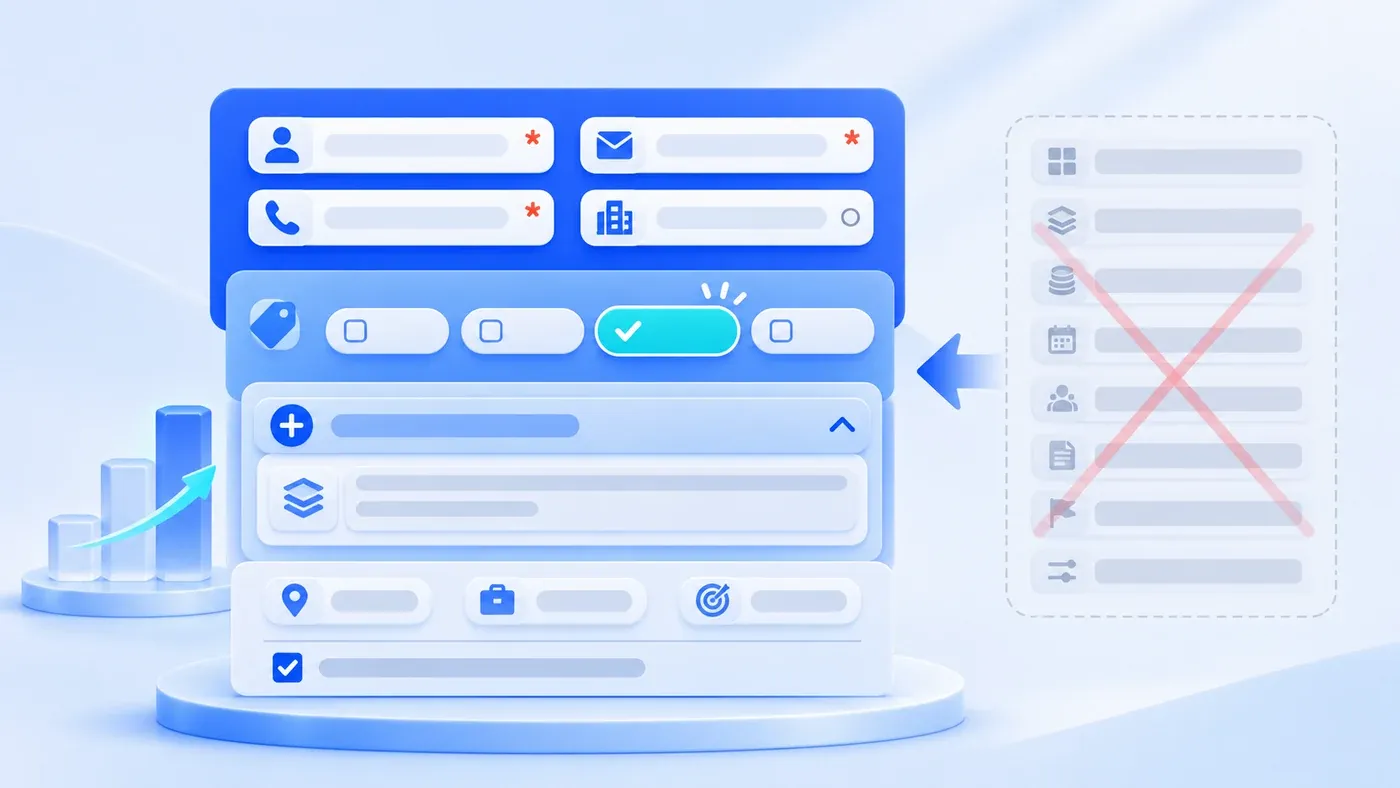
Click "Contact Us" or "Start a Project" on most B2B websites, and you will usually meet one of two extremes. At one end is the bare three-box form—Name, Phone, Message—which is fast to submit but leaves your team guessing what the visitor wants before calling back. At the other end is an internal CRM intake sheet dumped onto a public page: 15 mandatory fields demanding legal company names, job titles, headcount brackets, exact budget ceilings, and launch dates before anyone has said hello.
How much should a B2B inquiry form ask? The boundary is clear: a public web form is not meant to complete full CRM deal qualification on the spot; its job is to capture the minimum viable context required to reach the buyer, understand what they want to discuss, and route the inquiry to the right person. Anything a buyer has not decided yet—or anything your team can verify in two minutes by opening their existing website—should never be a required field that blocks submission.
Why Internal CRM Intake Sheets Backfire on Public Websites
Internal CRM forms and public website forms operate at very different stages of trust. By the time a rep logs an opportunity in a CRM, they have usually had an introductory call, exchanged messages on WhatsApp or WeCom, and confirmed mutual fit. Asking for budget approval status, decision roles, and timelines makes sense when scoping a formal proposal.
When a prospective buyer lands on your consultation page for the first time, they are rarely at that stage. Usually, an operations lead, marketing director, or project coordinator is comparing two or three vendors. They have a real problem to solve, but they may not have a signed-off budget figure—and they do not want to hand over sensitive corporate details to an unfamiliar web form before knowing whether your team fits their scope.
Making every qualification field mandatory creates two predictable problems:
- Serious evaluators abandon the page: Mid-market and enterprise buyers often cannot disclose formal budgets or internal project details before an initial vendor check, so they close the tab.
- Submitted data becomes noisy: When forced to pick a rigid budget bracket just to pass validation, visitors click random dropdown options or type placeholder characters—giving your team false precision instead of usable context.
Conversely, stripping the form down to "Name + Email" forces your team to spend the first ten minutes of every reply asking basic triage questions. The solution is organizing inputs into four distinct layers of effort.
The Four-Layer Field Structure for B2B Initial Inquiry Forms
- Name and contact channel
- Service and project stage
- Optional project details
- Active consent and minimal context
When designing or refreshing a B2B consultation page (you can inspect this layout in practice on the ChengXuYuan Project Consultation page), separating fields into four layers keeps friction low while giving your team enough context to prepare a useful first response:
Layer 1: Core Required Basics (The Minimum Needed to Reply)
Only three items on an initial consultation form need to be strictly mandatory:
- Your Name (Required): A single text field asking how to address the visitor, rather than separate mandatory boxes for first, middle, and last names.
- How We Can Reach You (Required): Let the visitor leave the contact channel they actually check. International buyers typically prefer business email or a WhatsApp number; domestic China buyers more often leave a phone number or WeCom (Enterprise WeChat) contact. Accepting their preferred reachability channel in one clear field works far better than forcing separate mandatory phone, email, and chat inputs.
- Explicit Privacy Consent (Required): Place a clear checkbox and link to your Privacy Policy right above the submit button. It must require an active check from the visitor and never be pre-checked.
Layer 2: Low-Friction Pre-Qualification Choices (Tapping Instead of Typing, With an Escape Hatch)
To help your team understand what the visitor wants to build and where they are in their planning cycle, use multi-select checkboxes or a simple dropdown. Two rules keep this layer effective: write options in plain buyer language, and always include an honest "not sure yet" option:
- What do you need? (Multi-select checkboxes): List core service areas (Corporate website, Business system, AI & workflows, Content & interaction) alongside "Not sure yet." Many buyers know the bottleneck they want to fix without knowing which service bucket it belongs to.
- Where are you now? (Multi-select checkboxes): Offer practical stage markers such as "Exploring," "Defining requirements," "Materials ready," "Updating an existing system," or "Other."
- Do you have a budget in mind? (Optional select): Instead of rigid dollar brackets, ask about budget posture: "Not decided yet," "I have a budget to discuss," or "I'd like to explore the scope and cost first."
Layer 3: Collapsible Optional Details (Space for Prepared Buyers)
Some visitors arrive with a clear brief or an existing site that needs a rebuild. Layer 3 serves them without cluttering the screen for early explorers:
- Your current website (Optional URL input): For website redesigns, multilingual expansions, or system upgrades, a single URL (
site_url) tells a consultant more in two minutes than paragraphs of background text. Keep this as a dedicated optional field—never repurpose a real website input as a hidden anti-spam honeypot. - Collapsible project details (
Add project details (optional) +): Place "Company (optional)" and "What would you like to do? (optional)" inside an expandable drawer so visitors who want a quick callback can submit immediately, while prepared buyers can expand and share notes.
Layer 4: Minimal Consented Context Attached by the System
Some routing context requires zero typing. Once the visitor explicitly agrees to your Privacy Policy and submits, the system can attach minimal entry metadata:
- Submission page path and active locale: Indicates whether the inquiry came from
/en/consultationor/zh/consultationand which page led them there. - Pre-selected service tags from checklists: If a visitor clicks into the consultation page from a service preparation checklist, pre-select only that relevant service tag—never pre-check privacy consent or auto-submit.
- Strict privacy boundaries: Record only the submission path and browser-provided referrer domain upon consent, without harvesting full external URLs, query strings, or browsing histories.
Once these four layers arrive in your backend, how to route them to the right person is covered in How Inbound Inquiries Route Automatically to the Right Person.
B2B Inquiry Form Field Trade-Off Matrix
Use this comparison table when deciding which fields belong on the public form versus the introductory call:
Candidate Field | Recommended Setting | Why This Boundary Works | How to Capture It Later |
|---|---|---|---|
Name / Salutation | Required | Basic courtesy needed to address the buyer | Confirm full name and role during the first call |
Contact Channel (Email / WhatsApp / Phone / WeCom) | Required | The essential bridge to follow up | Tailor hints to regional habits by page locale |
Explicit Privacy Consent | Required (Unchecked) | Transparent consent before storing contact data | Stored as a read-only record with timestamp |
Service Category Needed | Optional (Multi-select + "Not sure yet") | Helps assign the right domain specialist first | Route "Not sure yet" to a designated triage owner |
Current Project Stage | Optional (Multi-select) | Distinguishes early exploration from ready overhauls | Shapes the agenda for the introductory call |
Budget Posture | Optional (Qualitative dropdown) | Clarifies whether the buyer needs ballpark framing first | Discuss concrete scope tiers on the first call |
Current Website URL | Optional (Dedicated input) | Lets consultants inspect existing site state beforehand | Ask for links over email or chat if left blank |
Company Name & Project Notes | Optional (Collapsible drawer) | Gives prepared buyers space without blocking early inquiries | Remind visitors they can also send docs via email/WhatsApp |
Job Title / Headcount / Revenue | Defer to First Call | Early inquiries are often sent by coordinators; size is often guessed | Scope effort based on actual pages, workflows, and users |
Exact Launch Date & File Uploads | Defer to Follow-Up | Buyers rarely have final RFPs ready on their first visit | Collect decks and timelines over email, WhatsApp, or WeCom |
In a hypothetical scenario, a B2B software consultancy replaced a 14-field mandatory intake form with this four-layer layout. Instead of receiving submissions filled with "N/A" and random dropdown clicks, consultants could immediately see when a visitor checked "Business system" and "Updating an existing system," and inspect their optional website URL before replying.
Three Implementation Details That Reduce Form Friction
- Mark required and optional status directly inside labels Following the W3C WAI Forms Tutorial on Form Instructions, indicate required and optional inputs clearly within form labels (
<label>) or preceding instructions so both visual scanners and screen readers know what is expected upfront. Mark core inputs with*and explicitly label the rest as(optional). - Pair semantic input types with HTML
autocompleteattributes As documented in MDN's guide to the HTMLautocompleteattribute, setting appropriateautocompletetokens (name,organization,url) and input types lets browsers offer one-tap autofill and triggers the right mobile keyboard layout. - Adapt contact hints by locale and keep personal inputs out of language-switch URLs Highlight WeCom alongside phone and email on Chinese pages, and pair official WhatsApp links with email on English pages. If a visitor switches languages between
/zh/consultationand/en/consultation, carry over only selected service tags—never pass typed personal details or consent states in URL parameters.
Reusable Bilingual B2B Inquiry Form Structure Template
[B2B Website Inquiry Form Structure Template — Bilingual EN / ZH]

Section 1: Core Required Fields
1. Name [Required * | type="text" | autocomplete="name"]
   - EN: Your name *  |  ZH: 怎么称呼您? *
2. Contact [Required * | type="text"]
   - EN: How can we reach you? * (Email, WhatsApp or phone)  |  ZH: 如何联系您? *(电话、微信或邮箱)

Section 2: Low-Friction Pre-Qualification Choices
3. Current Website [Optional | type="url" | autocomplete="url"]
   - EN: Your current website (optional)  |  ZH: 您的现有网站是?(选填)
4. Services Needed [Optional · Multi-select]
   - EN: What do you need? (select any) -> Corporate website / Business system / AI & workflows / Content & interaction / Not sure yet
   - ZH: 您想咨询哪些服务?(可多选) -> 企业官网与独立站 / 业务系统开发 / AI 应用与流程 / 内容与互动支持 / 暂不确定
5. Budget Posture [Optional · Single-select]
   - EN: Do you have a budget in mind? (optional) -> Not decided yet / I have a budget to discuss / I'd like to explore the scope and cost first
   - ZH: 预算方面,有什么想法?(选填) -> 暂未确定 / 已有预算,沟通时说明 / 希望先了解方案与报价
6. Project Stage [Optional · Multi-select]
   - EN: Where are you now? (select any) -> Exploring / Defining requirements / Materials ready / Updating an existing system / Other
   - ZH: 项目目前处于哪个阶段?(可多选) -> 正在了解 / 梳理需求 / 已有资料 / 现有系统改造 / 其他

Section 3: Collapsible Optional Details
   - Toggle: Add project details (optional) +  |  补充项目说明(选填) +
7. Company [Optional | autocomplete="organization"]: Company (optional) | 公司名称(选填)
8. Project Notes [Optional | textarea]: What would you like to do? (optional) | 简单说说你想做的事(选填)

Section 4: Explicit Consent & Follow-Up Note
9. Privacy Consent [Required Checkbox, unchecked]: [ ] I have read and agree to the Privacy Policy | [ ] 我已阅读并同意《隐私政策》
10. Note: You can also share project materials by phone, email or WhatsApp (WeCom on ZH) after submitting.
A well-structured inquiry form removes the hesitation of "I don't have a complete specification document yet—is it too early to reach out?" If you are planning a website build or redesign and want your pages, multilingual structure, and inquiry handoff to work together, explore our Corporate Website & Standalone Site Services or visit our Project Consultation page to see this layout in action.
