
Key takeaway
A verifiable citation exposes authorized source text, its version and location, and a usable way back. Location fields differ by format. Scans need an image check, and deep links need viewer testing; a filename or generated citation marker alone is not evidence.
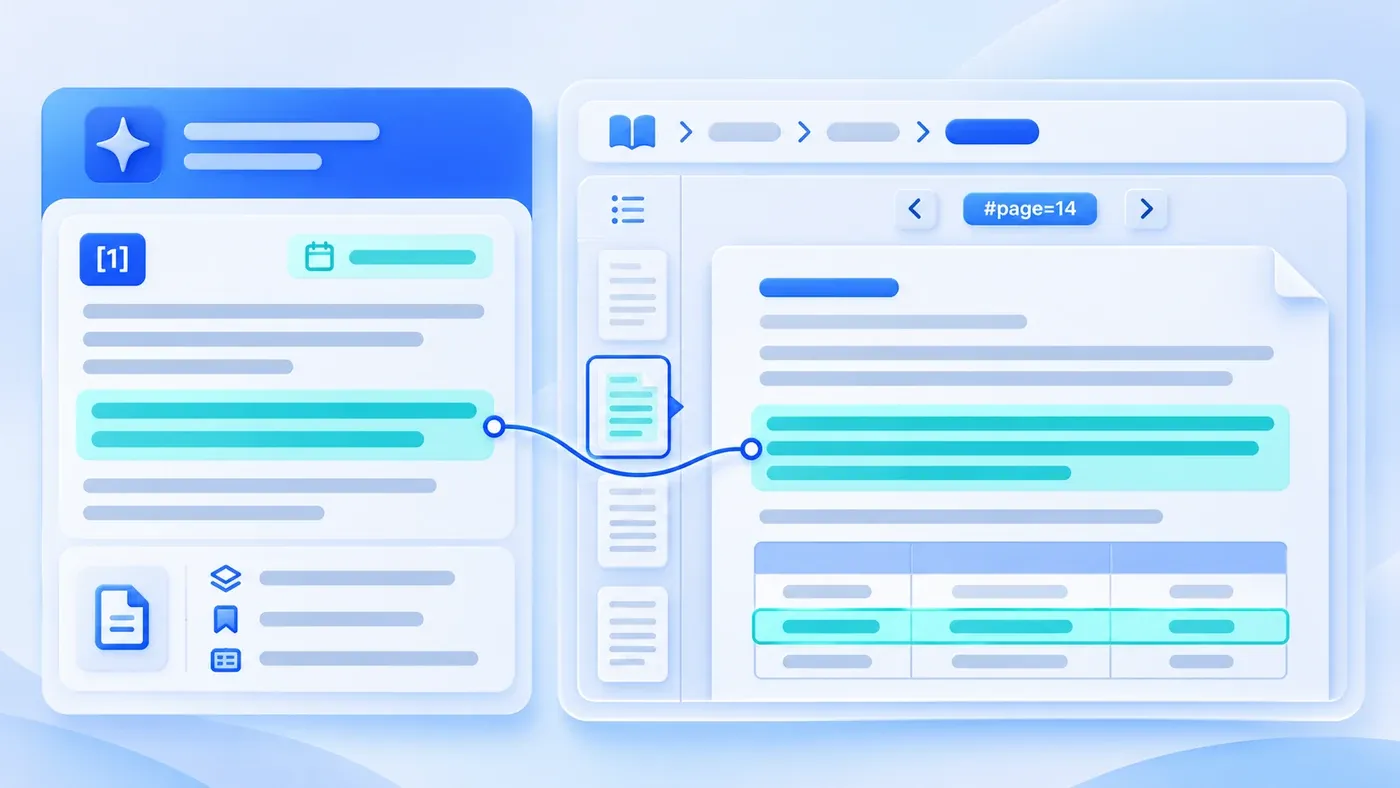
Consider a hypothetical knowledge-assistant demo intended to explain citation design. Beneath the generated answer sits a neat little label: Source: Product_Maintenance_Manual_Final.pdf. Yet once the tool is handed to customer support agents or field engineers, they still hesitate to trust it. Why? Because that PDF is 96 pages long, and clicking the citation simply opens the file at page one. The employee still has to press Ctrl + F, guess which keywords the document used, and hunt through dozens of pages—taking longer than if they had skipped the AI assistant altogether.
While Retrieval-Augmented Generation (RAG) is specifically designed to ground responses in retrieved text passages so humans can inspect the underlying evidence (see Lewis et al., 2020), "the backend retrieved a chunk" is not the same as "the user interface helped the employee verify the original paragraph." To reduce the steps needed for source verification, the system must capture five location coordinates during document ingestion and present sentence-level citation markers, verbatim excerpts with surrounding context, and direct deep links to the exact page or row.
(If your system is struggling earlier in the pipeline—failing to retrieve the right passages in the first place—see our companion piece on Why Document Formatting Shapes AI Retrieval Quality. Here, we focus on the final mile: once the right passage is found, how do users jump straight back to the source text to verify it?)
Both retrieval and source display must respect document permissions. OCR text is a recognition result: label it and provide the matching image for inspection. Do not present it as guaranteed verbatim text, and recheck locations whenever a document version changes.
Why a Bare Filename Does Not Build Operational Trust
When an employee clicks a citation in a real workflow, they are rarely looking to read the entire document from cover to cover. They are checking three specific risks where language models frequently slip up:
- Omitted conditions in adjacent sentences: The AI summary says, "Compressor replacement is covered free of charge during the warranty period," but the very next sentence in the manual says, "excluding units operated with non-standard refrigerants or unserviced filters." Without seeing the surrounding paragraph, the user cannot tell if a critical exception was summarized away.
- Row or column mix-ups in specification tables: A single page lists both the standard
C200model and the low-temperatureC200-Lvariant. Did the model accidentally pull a flow-rate figure from the row above? - Outdated policy versions: A file named
Final_Policy.pdftells the user nothing about whether the rule took effect this quarter or was superseded two years ago.
If clicking a reference drops the user at the cover page of an 80-page document, verifying those three details becomes a manual scavenger hunt. Over time, staff either copy answers blindly—creating compliance and customer service errors—or abandon the assistant and go back to searching shared folders by hand.
To Jump Back to the Source, Capture Five Coordinates at Ingestion
- Retain document identity and version
- Locate the section, page or record
- Show authorized source context
- Verify source and viewer behavior
Inspect original scans, test the target viewer, and preserve source-access permissions.
Most AI assistants fail at granular citations because their ingestion pipeline discards structural location data the moment it slices a document into text chunks. By attaching five metadata fields to every chunk at indexing time, your interface can reconstruct an exact verification path:
1. Document Identifier, Version, and Effective Status (doc_id + version + effective_date)
Never store the filename alone. Record a canonical document ID, an explicit version label (such as 2026-Rev2), the effective date, and the lifecycle status (Active vs. Archived). Displaying these tags directly on the citation card lets users confirm at a glance that the answer comes from current policy (for more on keeping obsolete files out of active retrieval, see How to Handle Expiring Knowledge Base Content).
2. Full Section Heading Breadcrumb (heading_path)
Preserve the hierarchy of parent headings above each text chunk as a breadcrumb trail—for example: Chapter 4: Support Intake > 4.2 Attachment Checks > 4.2.2 Missing Items. Even when a user is cross-checking a printed binder or a reflowable document without fixed page numbers, a section breadcrumb tells them exactly where to look.
3. Physical Page Number or Spreadsheet Coordinates (page_no / sheet_row)
- For PDFs and fixed-layout documents: Record both the starting and ending page numbers (
p. 42orpp. 42–43) when extracting text. For multi-column layouts or scanned documents, also store normalized bounding-box coordinates so the document viewer can draw a visual highlight box around the exact region. - For Excel and CSV files: Store the worksheet name, primary key value (such as part number), column header names, and the original row index (for example,
Sheet: Spare Parts Pricing, Row: 118).
4. Verbatim Excerpt and Surrounding Context (verbatim_quote + parent_context)
While the assistant's main answer synthesizes information in natural language, the citation card must display the exact, unaltered source passage along with its immediately preceding and following paragraphs. Showing this verbatim context in an expandable drawer lets users verify conditions and qualifiers immediately, without waiting for a heavy 40 MB PDF to load in a separate tab.
5. Direct Deep Links (deep_link)
When a user does need to open the full source file to inspect a diagram or wide table, the link should jump straight to the target location:
- For browser-rendered PDFs, IETF RFC 8118 (The application/pdf Media Type) describes URI fragment parameters including
#page=<pagenum>and#nameddest=<name>. Formatting the citation URL as.../manual-2026.pdf#page=42instructs standard web PDF viewers to open directly at page 42 rather than page 1. - For internal wikis and HTML portals, append the heading anchor (
#section-id) so the browser scrolls directly to the cited subsection.
PDF fragment support varies by reader, embedded container, and download mode. Test the target viewer and keep a page label, section path, and manual navigation fallback.
Source Location Strategies Across Four Common Document Types
Different file formats require different location metadata and fallback handling. Use the table below when specifying citation requirements for your engineering team:
Document Format | Why Filename-Only Fails | Required Location Metadata | Ideal User Verification Experience | Common Edge Cases & Fallbacks |
|---|---|---|---|---|
Digital-Native PDFs (manuals, contracts, policy handbooks) | Users must manually scroll or search through dozens of pages | Version tag, heading breadcrumb, physical page ( | Side drawer shows verbatim passage + adjacent paragraphs; "Open Page" link jumps via | Front matter (cover, TOC) often offsets printed page numbers from PDF page indices; display both |
Scanned PDFs & Images (archived records, stamped contracts) | Text is not searchable via | Page index, OCR text transcript, bounding box | Opens the scanned page image with a translucent blue highlight box around the exact lines read by OCR | When stamps or handwriting lower OCR confidence, display an explicit banner: "Low scan clarity—verify highlighted image region" |
Word Docs / Internal Wikis | Reflowable documents have no fixed page numbers across screen sizes | Last updated date, heading breadcrumb ( | Displays heading path and verbatim block; deep link scrolls directly to | If authors used bold text instead of true heading styles, normalize headings during ingestion or index by section numbering |
Spreadsheets (Excel / CSV) | Knowing the file name does not tell the user which tab, row, or column was read | Worksheet name, row identifier (e.g., SKU), column headers, row number | Renders a mini preview table of the matched rows with headers intact, labeled | Spreadsheets often place critical disclaimers in bottom footnotes; always attach sheet-level notes to the citation card |
What a Verifiable AI Answer Card Looks Like (Hypothetical Example)
Use a support-intake question to illustrate the interface. Both documents, their rules, and the quoted passages below are synthetic. They describe no real customer policy and provide no equipment instructions or service commitment.
Suppose a user asks: “We only have an equipment reference. Can this item be marked accepted, and can we tell the customer a completion date?” Link each answer to its own passage.
[AI result: synthetic demonstration]
1. Keep the item as “awaiting information.” Once the description and required attachments are complete, a named person checks whether it can become “accepted” [1].
2. Do not automatically promise a completion date while the information remains unchecked [2].

[Source card 1] Support Intake Guide | demo-v1 (synthetic)
- Section: Information Checks > Missing Items
- Location: physical PDF page 4, “Attachment Status” column
- Example locator: support-intake-demo-v1.pdf#page=4 (not a real download)
- Synthetic passage: “Keep the item awaiting information until its equipment reference, issue description, and required attachments have been checked. A named handler confirms acceptance.”

[Source card 2] External Reply Checklist | demo-v1 (synthetic)
- Section: Progress Replies > Unconfirmed Information
- Location: section 2
- Synthetic passage: “Leave an unchecked completion time unconfirmed. Do not present an internal estimate as a completion date already promised to the customer.”
The interface makes two conditions visible: complete information and confirmation by the named handler. It also separates intake status from an external promise. A citation is not approval; the user still checks whether the answer applies under the actual business rules.
Five Acceptance Checks for AI Citation & Source Verification
When evaluating or accepting an enterprise knowledge assistant, test its citation design against these five practical checks:
- Are citations attached to specific claims? When an answer combines facts from two different documents, can the user tell which sentence came from Document A and which came from Document B?
- Can users read the verbatim passage without opening the full file? Does the citation card show the exact unaltered quote along with its surrounding sentences?
- Do document links jump to the target page or section? When clicking a reference to a 60-page PDF, does the viewer open at the cited page (
#page=N) rather than the cover? - Are table headers and row identifiers preserved? When an answer cites a specification or pricing sheet, does the citation card display the worksheet name, row number, column headers, and units of measure?
- Are version tags and effective dates visible upfront? Can the employee immediately confirm that the cited passage belongs to an active policy rather than an archived draft?
Designing the path back to the source passage is what turns an AI assistant from an impressive demo into a tool employees actually trust under deadline pressure. If you are planning an internal knowledge assistant or document workflow, explore our AI Applications & Workflow Services or bring a few sample documents to our consultation page to discuss how to structure retrieval and source verification for your team.
